Buying Used PC Parts in India: What I Would Buy, Test or Avoid
A shop-tested guide to used PC hardware: what is usually worth buying, what needs a proper load test, and the faults a quick boot can miss.

GetPC's physical shop mostly sold new components. We occasionally dealt with used hardware, but I tried not to mix the two businesses.
What we did see regularly was the result of other people's used purchases. Customers brought parts in for diagnosis, and thousands of buyers asked for advice before paying. Advice was free. The same difficult categories kept returning: motherboards, power supplies and hard drives.
That experience changed the question I ask about second-hand hardware.
It is not simply, “Does this part work?” It is:
“It boots” is not the same as “it works.” The test must reproduce the load, temperature and behaviour the component will face after you pay.
This guide explains what I would personally consider, what I would test, the evidence I would ask a seller to provide, and the point at which I would walk away.
The quick answer
RAM, cabinets and CPUs—after confirming the exact model and testing stability.
GPUs, motherboards, SSDs, monitors, peripherals and cooling hardware.
PSUs and any drive that will hold data I cannot afford to lose.
These are starting positions, not guarantees. A carefully tested used GPU can work reliably for years. A clean-looking motherboard can hide a fault that a five-minute demonstration will never expose.
Warranty changes the calculation too. I prefer a used GPU with remaining Indian warranty, for example, while a cabinet can still be sensible without any warranty at all. The exact part, its history, its price and the quality of the test matter more than a universal “safe” label.
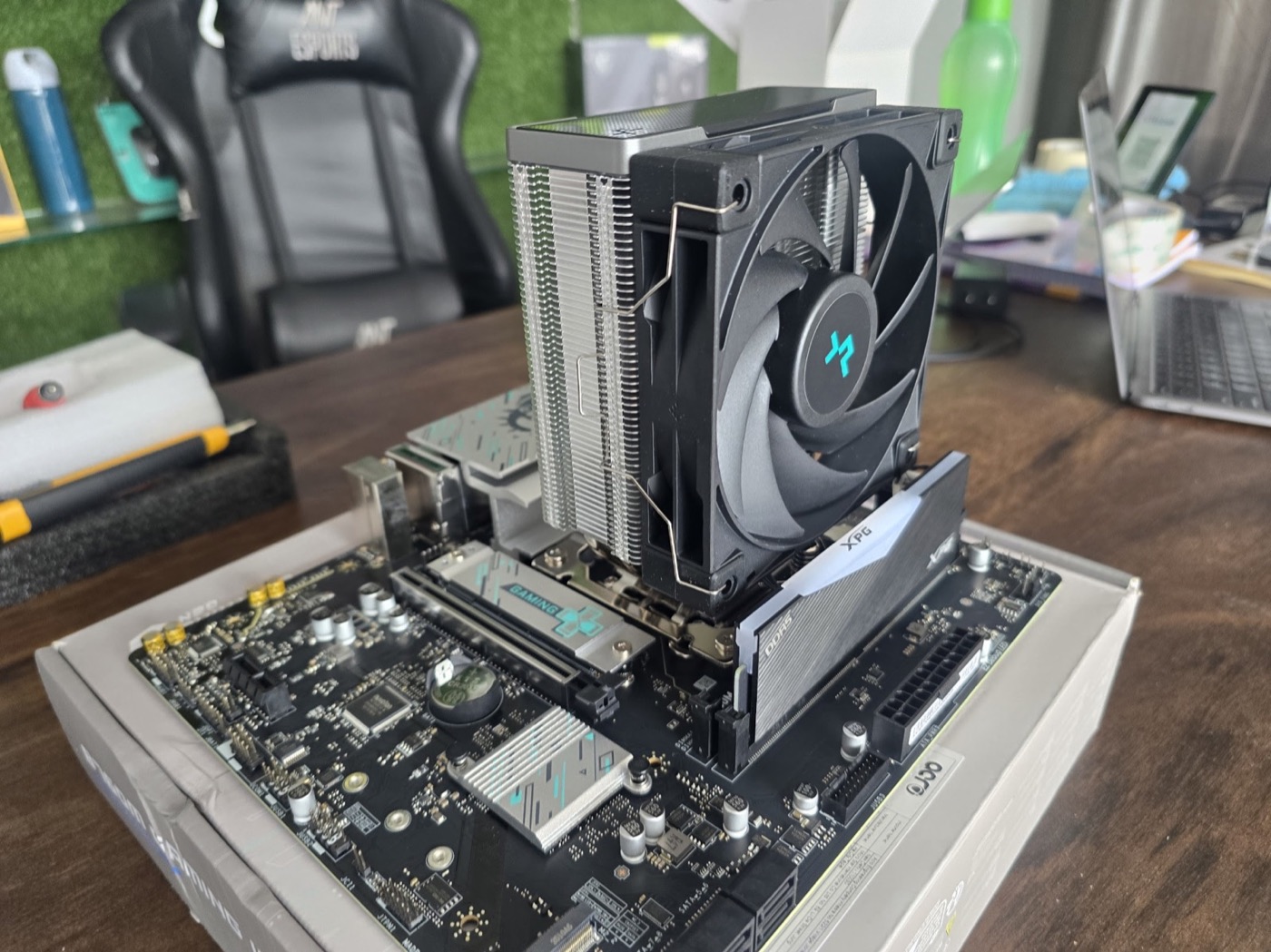
The cheap Z790 motherboard we refused
We were offered a used high-end Z790 motherboard at a surprisingly low price. Cheap did not automatically mean dishonest, but the price gave us a reason to slow down and find out why.
We fitted an i9 processor capable of running near 5GHz. The machine produced a display and entered the BIOS. Someone doing a quick “working board” check might have stopped there.
The processor, however, would not move beyond roughly 800MHz.
We tried the normal diagnostic path, changed settings, worked through the BIOS and repeated the tests. The eventual finding was a hardware problem: a faulty temperature sensor on the motherboard was sending a false thermal signal. The CPU behaved as though it had crossed its thermal limit and throttled itself.
We did not buy the board.
The important lesson is not that every cheap motherboard is bad. It is that a successful POST only proves a narrow part of the board works. Clocks, sensor data, memory channels, storage slots, USB, networking and stability under load still need checking.
What I would consider buying used
RAM
RAM is high on my list because its basic function can be tested. First confirm that the physical label and software report the same capacity, generation and rated speed. Check that a two-stick kit really is a matched kit.
Then test the memory in the configuration you plan to use. If it is advertised for XMP or EXPO operation, verify both the normal default setting and the intended profile.
MemTest86's own troubleshooting guidance makes an important point: a reported memory error is not automatically proof that the stick alone is faulty. The CPU, motherboard, timings or a multi-channel combination can also be involved. For the buyer, the practical conclusion is simpler—do not accept a configuration that produces repeatable errors until the cause is understood.
One quick pass is better than nothing, but longer testing is more useful for an intermittent fault. If the seller will not allow enough time to test a RAM kit, the saving is not worth arguing over.
Compare the asking price with a current equivalent such as GetPC's 32GB DDR5 catalogue page. The relevant number is today's new price with invoice and warranty, not what the seller originally paid.
Cabinet
Cosmetic wear rarely changes how a cabinet performs, which is why used cases can be excellent value.
Check the frame for bends, the side panel and glass for damage, and every motherboard standoff for the correct position. Inspect the front USB and audio ports, power button, fan hub and any proprietary RGB controller. Count the drive trays, PCIe covers, filters and screws.
A missing bag of screws is easy to solve. A bent frame, stripped thread or missing proprietary mounting bracket can turn a cheap cabinet into a frustrating project. Price those missing pieces before making an offer.
CPU
Processors usually survive normal use well, so I would consider a used CPU after checking its contacts and performance.
For a pin-grid CPU, inspect every pin from more than one angle. For an LGA platform, inspect the CPU pads and pay even closer attention to the motherboard socket. Confirm the model in software instead of relying on the heat-spreader label alone.
Run a benchmark while watching clock speed, temperature and power. The result does not have to reproduce one internet score exactly—cooling, BIOS limits and memory affect it—but it should be in the expected neighbourhood. A large unexplained gap needs diagnosis before payment.
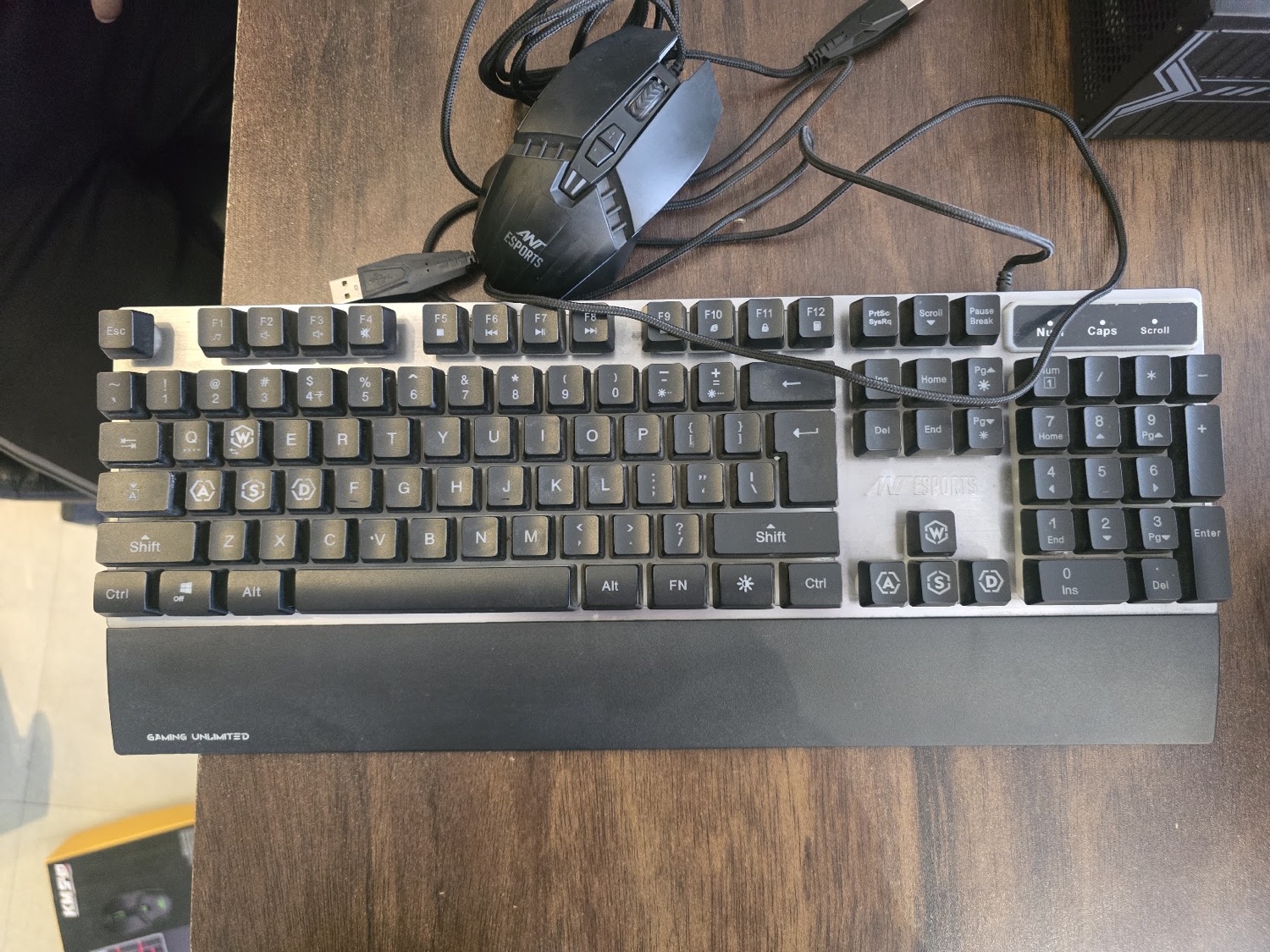
Keyboard, mouse and other simple peripherals
Used peripherals can be reasonable when they are clean, complete and easy to test. Test every key and switch, the scroll wheel, side buttons, cable, wireless receiver, charging port and lighting controls.
With a keyboard, repeated presses matter: one successful keystroke does not reveal chatter or an intermittent switch. With a mouse, move slowly across the whole sensor area and test clicks while dragging.
Components that need a real load test
GPU
For a used GPU, remaining Indian warranty is strongly preferred. Ask for the original invoice and confirm that the card, box and invoice refer to the same model. Do not assume that possession of a box proves anything.
Before the stress test, inspect the PCB edge, backplate, power connector, screws, fan blades and video outputs. Repair marks, corrosion, mismatched screws or a damaged connector need an explanation.
During the test, watch:
- GPU and memory temperatures where the sensors are available.
- Clock behaviour rather than only the average frame rate.
- Fan noise, wobble and sudden changes in speed.
- Artifacts, black screens, driver resets and application crashes.
- Whether the whole PC shuts down once GPU load rises.
A ten-second desktop demonstration proves almost nothing. The test should run long enough for temperature and fan speed to settle.
We once saw a rare case involving an approximately three-year-old GPU that had burned internally after its warranty ended. It also damaged the motherboard's PCIe area. I do not use that one case to claim used GPUs are generally dangerous; many cards run for years without trouble. It shows why power delivery, physical condition and warranty belong in the decision.
Do not rely on the seller's “gaming only” or “never mined” statement as a substitute for testing. You are buying the card's present condition, not its story.
Motherboard
A motherboard is one of the hardest parts for an ordinary buyer to verify because a board contains many systems that can fail independently.
At minimum, test the CPU at expected clocks, each memory channel, the slots you intend to use, storage detection, network, audio and several USB ports. Look at sensor readings before and during load. Check that the BIOS recognises the CPU correctly and that the board is not silently applying an extreme power or thermal limit.
A separate customer motherboard gave us another clear example. The monitoring screen reported 95.4°C CPU package temperature at about 1.9% CPU load. We worked through the normal cooler, mounting, paste and configuration checks. In that case, the motherboard was faulty.
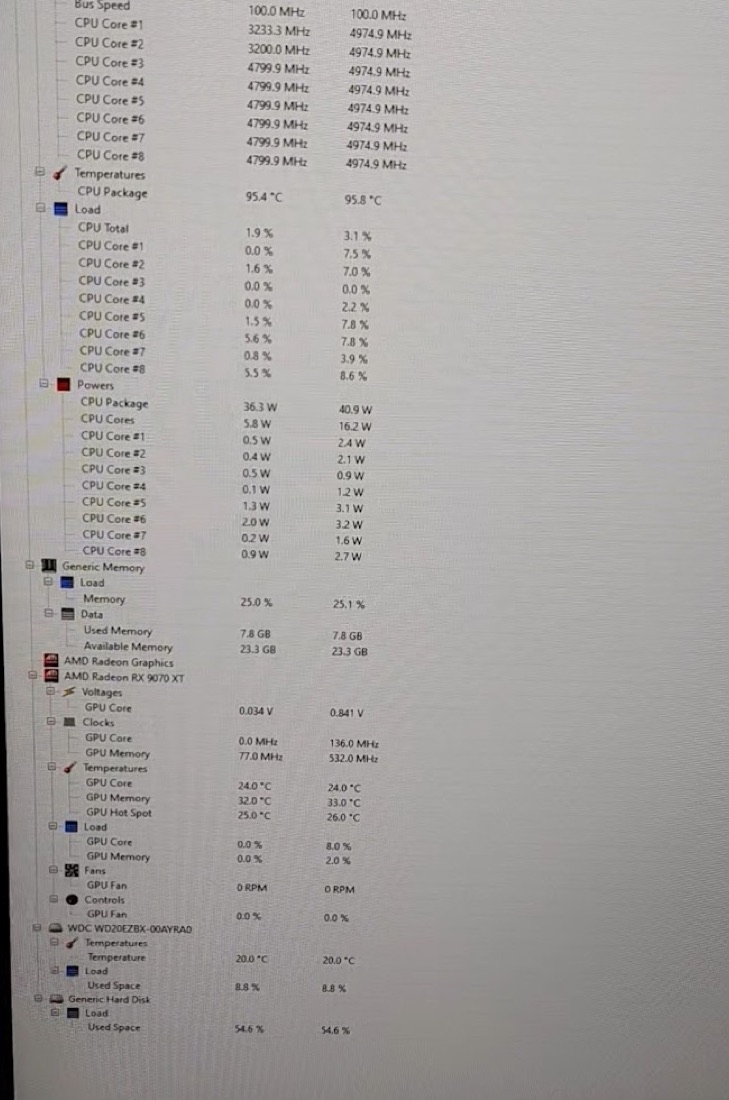
Do not conclude that every unusual temperature means a sensor fault. A loose cooler, stopped pump, incorrect mounting hardware, old paste or BIOS setting can produce a genuine problem. Diagnose those possibilities first.
SSD
An SSD may appear fast in a short copy and still have an undesirable history. Read its SMART data and confirm the exact capacity and interface. Look at total writes, power-on hours, unsafe shutdowns, media errors and the manufacturer's health indicators.
Do not reduce the decision to one green “health” percentage. SMART attributes differ by controller and manufacturer, and a screenshot can be old. Ask to see the drive detected live, then run a sustained read/write test appropriate for the situation.
The photograph below is a real bare NVMe drive from the shop. The identifying sticker and QR data have been deliberately obscured before publication.
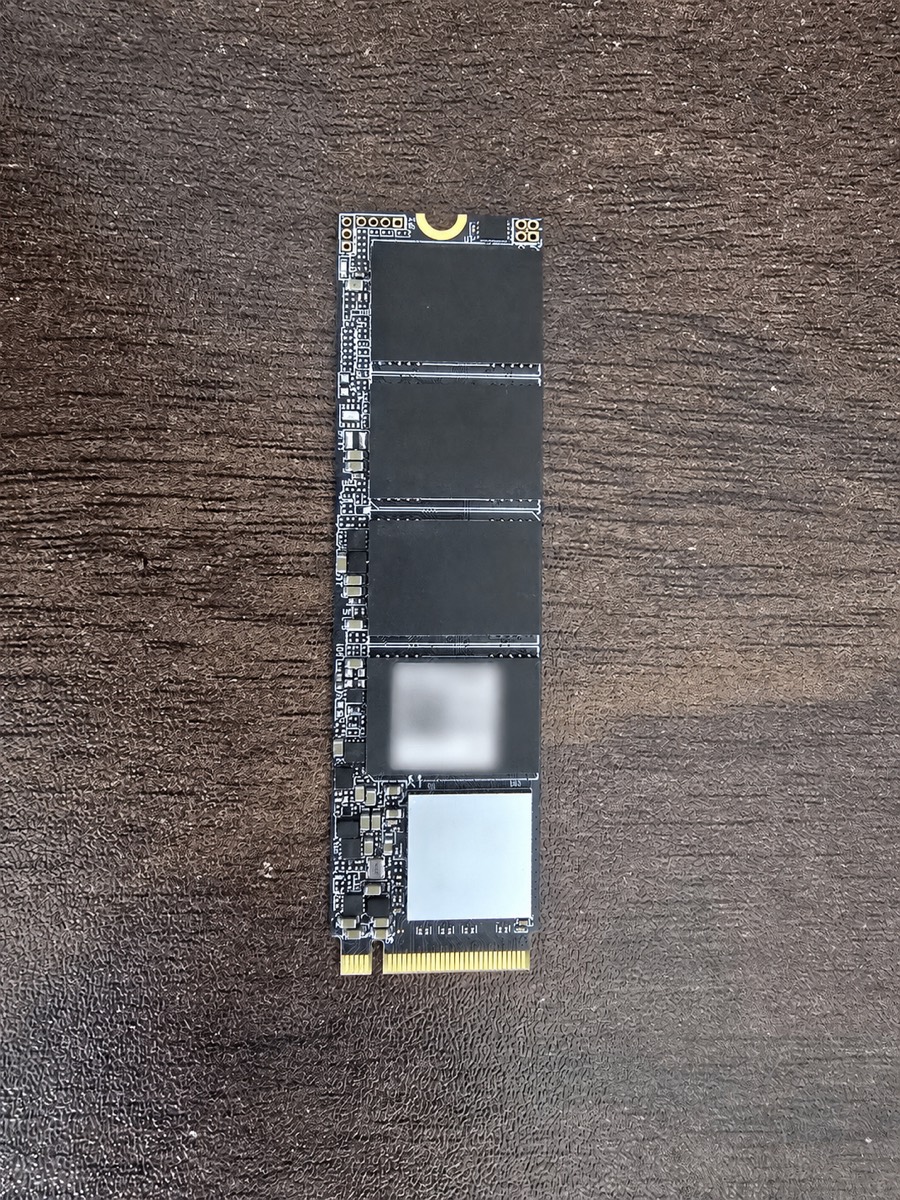
For any drive that will hold irreplaceable work or family data, I prefer new hardware plus a backup. No health tool can turn one storage device into a backup.
Hard drive
The failed HDDs customers brought us were often not subtle. Some were stuck during startup; others failed or stalled when someone tried to format them.
Listen for abnormal repeated clicking, check SMART data, and run a complete surface test if the transaction allows it. A quick appearance in File Explorer is not a storage test. A drive can enumerate correctly and fail as soon as a damaged area is read.
Used hard drives can make sense for non-critical, redundant storage when the price is low and the buyer understands the risk. I would not use one as the only copy of anything valuable.
AIO liquid cooler
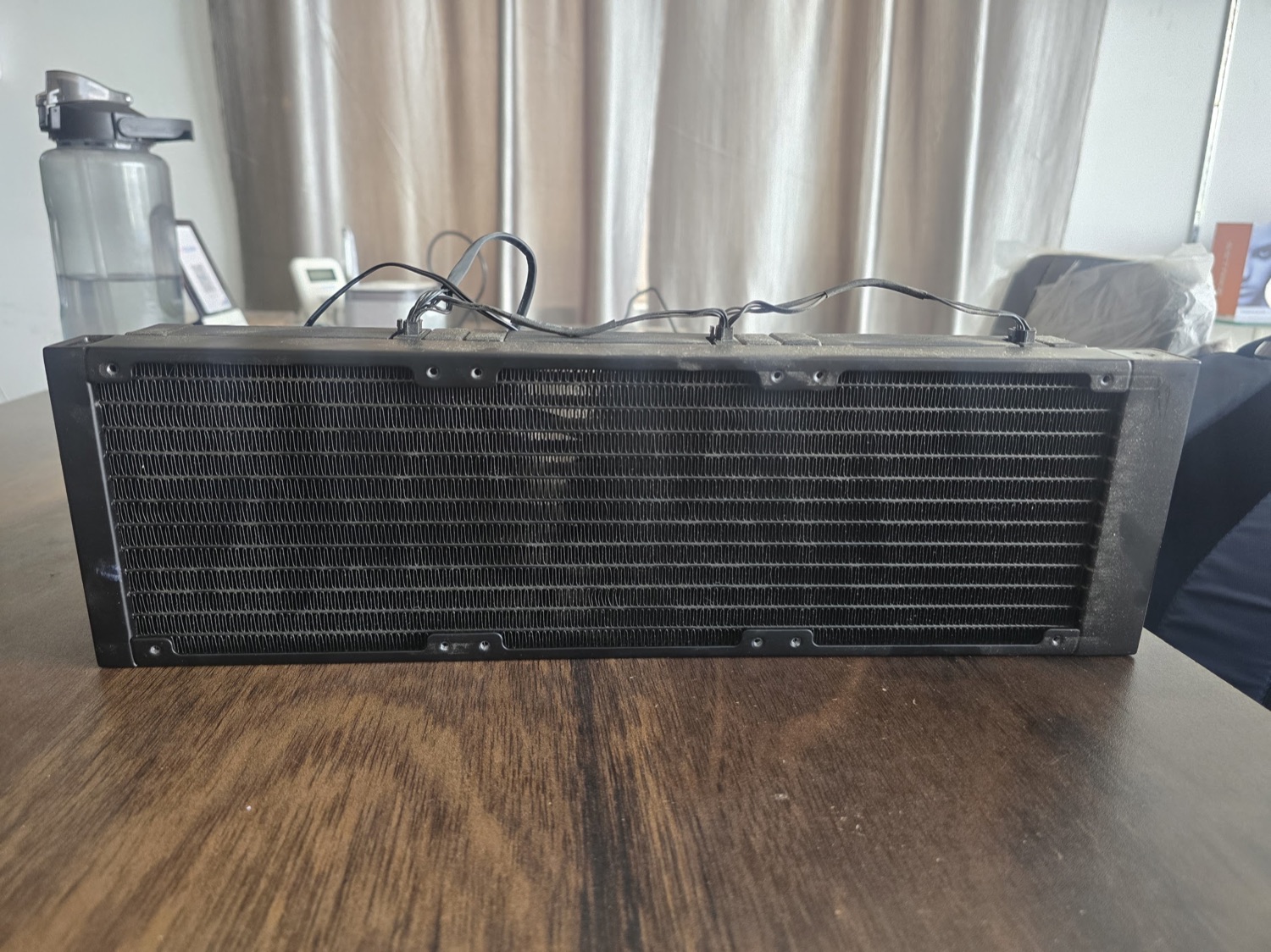
With an AIO, age and history matter more than a clean outer shell. Inspect the tubes, fittings and radiator for damage or residue. Listen for pump noise and watch how quickly the temperature rises under a sustained CPU load.
Dust between radiator fins restricts airflow but can be cleaned carefully. Bent fins, a weak pump, evaporation over time or missing mounting hardware are different problems.
An air cooler is simpler. Check that the base is flat, the heatpipes are not damaged, the fan bearings sound healthy and—most importantly—that the correct mounting kit is included.
What I normally avoid buying used
Power supply
A PSU can start a PC at idle and fail only when the GPU demands power. Problems brought to us included random shutdowns, failure during GPU load and burned internal components, especially in cheap-quality units with a short service life.
Visual inspection from outside cannot establish the condition of internal capacitors, protections or voltage regulation. Do not open a PSU yourself; components inside can retain dangerous charge after disconnection.
That is why I normally recommend a new, correctly sized exact model with a clear invoice and warranty. Wattage alone is not a quality rating. Use the GetPC PSU calculator for capacity, then check the precise model and connector requirements for the build.
An unusually strong used offer with verifiable remaining warranty may deserve evaluation by someone equipped to test it properly. For a normal buyer, the safer default is new.
My inspection sequence before payment
The order matters. It prevents a seller—or an excited buyer—from jumping directly to the easiest successful result.
Confirm exact identity: model, revision, capacity and whether the invoice belongs to that item.
Inspect physical condition: pins, pads, PCB, connectors, repair marks, corrosion and missing hardware.
Start at default settings so an unstable overclock does not confuse the diagnosis.
Test every function you will use—not only the one the seller demonstrates.
Apply a realistic sustained load and watch clocks, temperature, noise, errors and shutdowns.
Restart and repeat the critical test. Intermittent faults do not always appear on the first run.
Verify warranty terms and serial details through the relevant official support channel.
Compare the final used price with today's new alternative, including invoice and warranty.
If the part fails a test, do not let the negotiation turn into remote troubleshooting on the seller's behalf. Either identify the cause with confidence or stop the purchase.
Evidence to ask from a remote seller
Buying remotely adds a different problem: the evidence may not show the exact item that reaches you.
Ask for one continuous, recent video that includes:
- A handwritten date and the seller's name beside the component.
- The physical part and identifying label.
- The part installed in the test system.
- Software confirming the model.
- The agreed load test and sensor readings.
- A final view of the same physical item after the test.
Separate screenshots are easier to reuse from another system or an older test. A continuous video is still not equal to testing in person, but it closes some obvious gaps.
For shipping, agree in writing on what happens if the item arrives damaged or dead. Record the sealed parcel before opening and keep the complete unboxing video. Preserve the listing, chat, payment record and courier details.
How I decide whether the price is worth it
I would not publish a universal chart saying every one-year-old component is worth a fixed percentage of new. That looks precise but ignores too much.
My calculation starts with four numbers:
- The current price of the same model from a legitimate seller.
- The current price of a new alternative with similar real performance.
- The cost of missing accessories, cleaning or repair.
- The amount I am willing to lose if there is no useful warranty or return path.
Then I ask whether the saving pays for the uncertainty. A small discount on an untested motherboard is not attractive. A larger saving on a fully tested cabinet is a different decision.
The GetPC parts catalogue can help establish the new-price reference across GPUs, CPUs, RAM and storage. Some retailer buy links are affiliate links; that does not increase the buyer's price and does not change the used-part verdict.
Do not let the seller anchor the conversation to an old invoice. The question is what an equivalent purchase costs today.
Warning signs that make me slow down
None of these proves fraud by itself. Each one is a reason to require better evidence.
- The seller will show a boot screen but refuses a load test.
- The serial number in the photos, invoice and software cannot be connected to one item.
- The explanation for the low price changes during the conversation.
- Important accessories or mounting hardware are “somewhere” but never produced.
- The listing uses only catalogue photographs.
- The seller creates urgency to prevent inspection.
- The benchmark window is cropped so model, clock or temperature information is missing.
- A high-value shipped transaction has no clear written failure or damage agreement.
A surprisingly low price can have an innocent reason. Our Z790 motherboard was not described here as a scam; it was a bargain with a hidden hardware fault. The correct response to the price was testing, not accusation.
If the transaction goes wrong
First separate a compatibility or configuration problem from a defective part. Record the symptoms, preserve the original state where possible, and avoid destructive “fixes” that make the evidence harder to interpret.
Contact the seller promptly with a clear description and the test evidence. Keep the original listing, invoice, chat, payment record, serial number and unboxing video.
For an eligible consumer grievance, the Government of India's National Consumer Helpline provides a pre-litigation grievance channel. Its official portal explains registration and the supporting documents a consumer can attach.
For suspected online financial fraud, the official National Cyber Crime Reporting Portal states that immediate reporting is available through 1930 as well as the portal. Do not rely on a social-media post as a substitute for an official report.
The correct remedy depends on who sold the item, how it was represented, how payment was made and whether a warranty or platform protection applies. This guide cannot promise a refund or a particular legal outcome.
FAQ
It can be reasonable when the exact card passes a sustained load test, temperatures and fans behave normally, the physical condition is clean and remaining Indian warranty can be confirmed. A seller's usage story is not a replacement for present-condition testing.
Yes. It may POST while a sensor, memory channel, slot, port or part of its power delivery is faulty. The 800MHz Z790 case is why I check CPU clocks and sensor readings after the display appears.
RAM, cabinets and CPUs after inspection and testing. I would consider a GPU when the test is clean and warranty is available. Motherboards, storage and liquid coolers need more work to verify. I normally buy a PSU new.
No. A low price can have a legitimate explanation. It should change the amount of evidence you require, not cause an automatic accusation. Sometimes the reason is urgency; sometimes it is a hidden fault; sometimes it really is a good deal.
Long enough to reproduce its real operating temperature and behaviour. That varies by component. A memory test may need several passes, while a GPU or CPU load should at least reach steady temperatures. Repeating a critical test is more useful than claiming one universal number.
Only after checking live SMART data and running an appropriate test—and even then, keep a backup. If the drive will contain irreplaceable data, buying new does not remove the need for backup, but it avoids inheriting an unknown write and handling history.
Treat it as one piece of evidence. Check that the model, clock, temperature and date are visible and connected to the physical item. For a remote deal, one continuous video is stronger than unrelated screenshots.