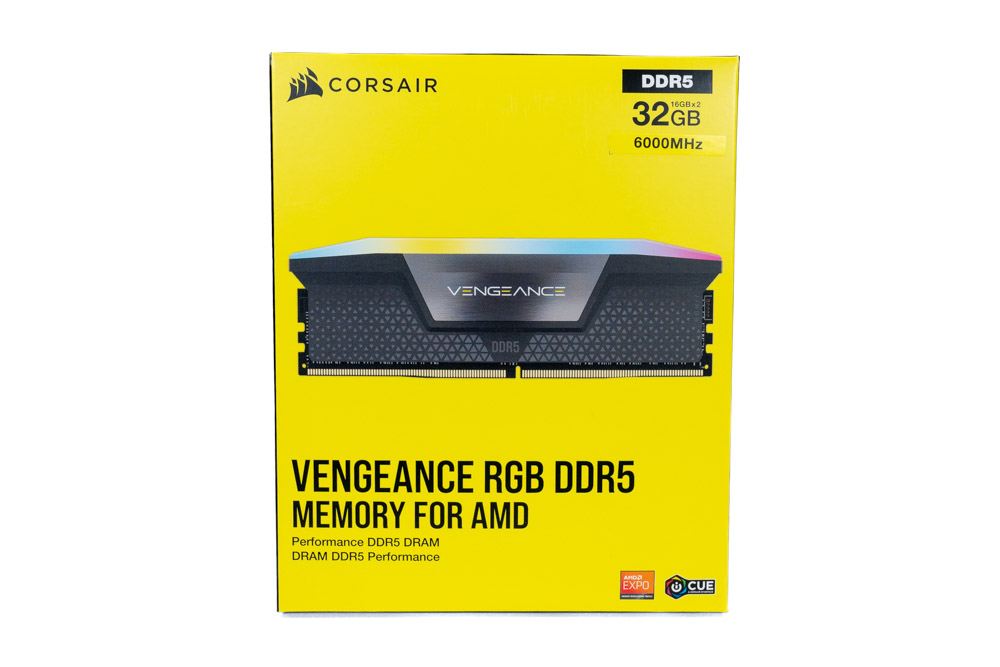
Corsair Vengeance 16GB (2x8GB) DDR5-6000 CL30
2-stick 16GB DDR5-6000 kit, CL30, no-RGB, 34mm tall.
Sweet spot DDR5 16GB kit for AM5 builds. EXPO and XMP 3.0 support.
Official India stock. Full warranty through the brand's India service network, standard RMA if anything goes wrong.
Full specs
Compatible motherboards
Where to buy Corsair Vengeance 16GB (2x8GB) DDR5-6000 CL30 in India
Expect to pay roughly ₹17,300-19,100 for the Corsair Vengeance 16GB (2x8GB) DDR5-6000 CL30 in India right now, depending on offers and seller. I always recommend buying from retailers that give a proper GST invoice - it's what makes your India warranty claim smooth later.
In my years running a PC store, PrimeABGB (Mumbai) and Vedant Computers (Kolkata) have also been consistently reliable for verified stock - compare before buying.
Corsair Vengeance 16GB DDR5-6000 Price in India - AM5 Sweet Spot RAM Review
Corsair Vengeance 16GB DDR5-6000: AM5's Sweet Spot Speed, but the Capacity Holds It Back
Price range: ₹18,000–10,000 for the 2x8GB DDR5-6000 kit.
DDR5-6000 is the specific speed AMD Ryzen 7000 and 9000 series processors are optimized for. When DDR5 runs at 6000 MHz on AM5, the Infinity Fabric clock (FCLK) runs at exactly 2000 MHz in sync mode - and that synchronous state is where Ryzen extracts maximum memory bandwidth and minimum latency. Corsair Vengeance DDR5-6000 hits that target frequency and supports EXPO profiles to get there automatically.
The kit is good. My concern is the same as with any 16GB DDR5 kit in 2025 - the capacity.
Why 6000 MHz Matters Specifically on AM5
Most RAM speeds are marketing - the difference between DDR5-5600 and DDR5-5800 is negligible. DDR5-6000 on AM5 is different. Ryzen's Infinity Fabric is the interconnect between CPU cores and memory. It runs best synchronized with the memory controller at a 1:1 ratio. At DDR5-6000, FCLK sits at exactly 2000 MHz - the highest stable synchronous point for most Ryzen 7000/9000 CPUs.
Going above 6000 MHz on AM5 (say, DDR5-6400 or 6800) usually forces FCLK into async mode, which adds latency and can actually reduce gaming performance compared to DDR5-6000 in sync. Below 6000 MHz, you are leaving bandwidth on the table. DDR5-6000 is the goldilocks frequency for AM5, and it is why this kit is a legitimate recommendation for Ryzen builds.
India Pricing
At ₹7,000–10,000, this kit sits ₹1,000–2,000 above the DDR5-5600 variants. For AM5 builds, that premium is worth paying - you are getting the Infinity Fabric benefit. For Intel LGA1700 DDR5 builds, DDR5-5600 is nearly equivalent and the cheaper option makes more sense.
Availability in India is reasonable. MDComputers, PrimeABGB, and Amazon India all stock Corsair Vengeance DDR5 regularly. Vedant Computers is another reliable source. Watch for the EXPO variant specifically on AM5 boards - some Corsair DDR5-6000 kits are optimized for Intel XMP, others for AMD EXPO. Check the product listing before buying.
The 16GB Capacity Caveat
I keep coming back to this because it matters. Modern games are pushing past 12GB of system RAM usage. With the OS, Chrome, and Discord running alongside a game, 16GB systems are frequently close to capacity in 2025. I have seen Baldur's Gate 3 and Alan Wake 2 both push past 12GB of RAM with other apps open.
If your budget can handle it, the 32GB DDR5-6000 kit is the better buy for a new build. G.Skill Flare X5 32GB DDR5-6000 or Corsair Vengeance 32GB DDR5-6000 are the targets. This 16GB kit is a reasonable starting point if you are cash-constrained and plan to add a second matching pair later - but adding RAM sticks later is not always seamless (matching kits, four-DIMM stability).
Who Should Buy This
Buy it if you are building an AM5 system on a strict budget where 32GB DDR5-6000 is out of reach right now. Buy it if you know you will upgrade to 32GB within six months and want to start gaming now. Buy it for a Ryzen 5 7600 or Ryzen 5 7600X build where you are GPU-limited anyway and RAM capacity is less critical.
Who Should Skip This
Skip it if you can afford the 32GB equivalent - the capacity upgrade is more valuable than the speed upgrade. Skip it for Intel LGA1700 DDR5 builds - 5600 MHz is the better value there and saves ₹1,000–2,000. Skip it for any creative or content creation workload where you will hit the 16GB ceiling quickly.
Price we have actually seen
Down 9.8% since we started tracking. Every point is a price our crawler recorded at an Indian retailer - no estimates, no MSRP. Tracking began recently, so the window grows week by week.
Questions
XMP (Extreme Memory Profile) is Intel's standard for automatic RAM overclocking. EXPO (Extended Profiles for Overclocking) is AMD's equivalent for AM5 platforms. Both do the same thing - store timing and voltage settings the board reads to run RAM above JEDEC spec automatically. Most DDR5-6000 kits support both profiles. On AM5 boards, look for EXPO or DOCP in your BIOS settings.
Yes, most B650 boards support DDR5-6000 with EXPO enabled. B650E boards handle it more reliably than base B650 - the E suffix indicates better power delivery for memory overclocking. Check your board's QVL (Qualified Vendor List) for the specific Corsair Vengeance part number to confirm compatibility.
Buy 32GB now if at all possible. Adding RAM later means finding the exact same kit (or accepting four-DIMM operation which reduces memory OC stability). The price gap between 16GB and 32GB DDR5 kits has narrowed - check current pricing before deciding. If the 32GB kit is within ₹3,000–4,000 of this kit, the jump is worth it.