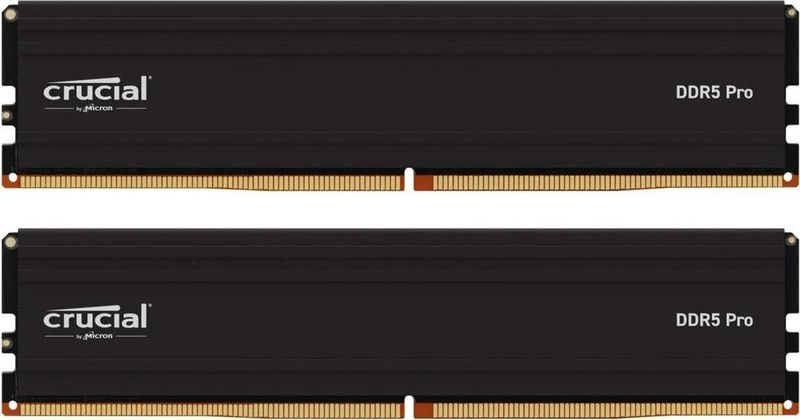
Crucial Pro 64GB (2x32GB) DDR5-5600 CL46
2-stick 64GB DDR5-5600 kit, CL46, no-RGB, 34mm tall.
64GB at saner price. Loose timings but rock-solid stability for productivity. Best for workstations on Intel.
Official India stock. Full warranty through the brand's India service network, standard RMA if anything goes wrong.
Full specs
Compatible motherboards
Where to buy Crucial Pro 64GB (2x32GB) DDR5-5600 CL46 in India
Expect to pay roughly ₹67,200-74,200 for the Crucial Pro 64GB (2x32GB) DDR5-5600 CL46 in India right now, depending on offers and seller. I always recommend buying from retailers that give a proper GST invoice - it's what makes your India warranty claim smooth later.
Affiliate links on linked vendors - your price stays the same. PrimeABGB shown for comparison only.
In my years running a PC store, PrimeABGB (Mumbai) and Vedant Computers (Kolkata) have also been consistently reliable for verified stock - compare before buying.
Crucial Pro 64GB DDR5-5600 Price in India - Workstation RAM Review 2025
Crucial Pro 64GB DDR5-5600: The Right RAM for Indian Video Editors and 3D Artists
Price range: ₹70,000–25,000 for the 2x32GB DDR5-5600 kit.
Most people reading this do not need 64GB of RAM. I want to say that clearly up front. If you are gaming - even at 4K with a high-end GPU - 32GB is the ceiling of what you will realistically use. Gaming does not benefit from 64GB. But if you are editing 4K or 6K video in DaVinci Resolve or Premiere Pro, running large Blender scenes with heavy geometry, working with virtual machines, or doing data science with large datasets in Python - 64GB is not a luxury, it is a requirement.
The Crucial Pro 64GB (2x32GB) DDR5-5600 is one of the more sensibly priced ways to get there in India.
Who Actually Needs 64GB RAM
I track this by what fills up fast in professional workflows:
Video editing: DaVinci Resolve caches heavily in RAM. A 4K timeline with multiple color correction nodes, noise reduction (which is GPU-accelerated but also uses system RAM for decode), and effects can consume 20–30GB of RAM with the application and OS overhead. At 4K60 with RAW or BRAW footage, 32GB gets tight. At 6K or working with multiple streams simultaneously, 32GB regularly runs out. 64GB provides real breathing room.
3D (Blender, Cinema 4D): Scene geometry, textures, and render data live in RAM during viewport interaction and CPU rendering. Complex architectural visualizations or character models with 4K+ texture maps can exceed 32GB easily. 64GB means you can work without constantly closing other applications or reducing scene complexity.
Virtual machines: Running two VMs simultaneously at 8GB each, plus the host OS, plus applications, puts you past 32GB quickly. VMs for development, testing, or security research benefit enormously from 64GB host RAM.
Data science: Pandas DataFrames loading large CSV or Parquet files can consume RAM proportional to the dataset size. Multi-GB datasets processed in-memory need headroom.
India Pricing and Value Assessment
At ₹18,000–25,000, this kit costs approximately the same as a mid-range SSD or a significant GPU upgrade. Context matters: if your workflow is bottlenecked by RAM - if you see 95%+ memory usage and your system is paging to disk - 64GB will deliver a dramatic and immediate improvement to your work speed.
Crucial Pro 64GB is not the only 64GB DDR5 option in India, but it is one of the more consistently available ones. MDComputers and PrimeABGB stock it. Amazon India carries it. Alternative brands at this capacity include Kingston Fury and G.Skill, but availability for 2x32GB kits is less consistent than 2x16GB in the Indian market.
The import duty situation (approximately 20% on RAM) means Indian pricing runs higher than international equivalents. At current pricing, ₹18,000–25,000 for a quality 64GB DDR5 kit represents reasonable value for what it is.
Platform Notes
DDR5-5600 at 2x32GB works on AM5 (X670E, B650E recommended for four-DIMM or high-capacity stability) and Intel LGA1700 DDR5 (Z790, Z690 DDR5). For workstation builds, X670E paired with a Ryzen 9 7900X or 9900X is a strong combination. On Intel, Core i7-14700K or i9-14900K with Z790 DDR5 handles 64GB well.
Note that running four DIMMs (4x16GB) can sometimes be harder to stabilize at high frequencies than running two DIMMs (2x32GB). The 2x32GB configuration in this kit is generally more stable than going four-stick.
Who Should Buy This
Buy it if your workflow regularly consumes more than 24–28GB of RAM - you will see this in Task Manager during your typical work session. Buy it for 4K/6K video editing workstations, complex 3D rendering setups, developer machines running multiple VMs, or data science workstations. The Crucial warranty and Micron IC consistency matter more for professional tools than for gaming RAM.
Who Should Skip This
Skip it if you are building a gaming PC - 32GB is the gaming ceiling and 64GB adds nothing. Skip it if your professional work fits comfortably in 32GB. Skip it if you are on AM4 or LGA1700 DDR4 - this is a DDR5-only kit.
Price we have actually seen
Down 69.7% since we started tracking. Every point is a price our crawler recorded at an Indian retailer - no estimates, no MSRP. Tracking began recently, so the window grows week by week.
Questions
For video editing, memory bandwidth matters more than latency. DDR5-5600 provides strong bandwidth for DaVinci Resolve and Premiere Pro. The jump to DDR5-6000 at 2x32GB would add some bandwidth, but the price premium is usually not justified for professional workloads - capacity matters more than the extra few hundred MHz here.
Yes, if you have four DIMM slots. Four sticks can sometimes be harder to stabilize at high frequencies - some boards require dropping to a lower speed when all four slots are populated. The 2x32GB configuration avoids this. If budget allows, 2x32GB is the cleaner path to 64GB DDR5.
Depends on your scene complexity. For architectural visualization with 4K textures and high poly counts, 32GB can constrain you. If you frequently wait while Blender pages to disk during renders, 64GB will fix that. If your current 32GB system is not maxing out, save the money. Check your Task Manager while Blender is rendering a production-level scene to see your actual peak usage.