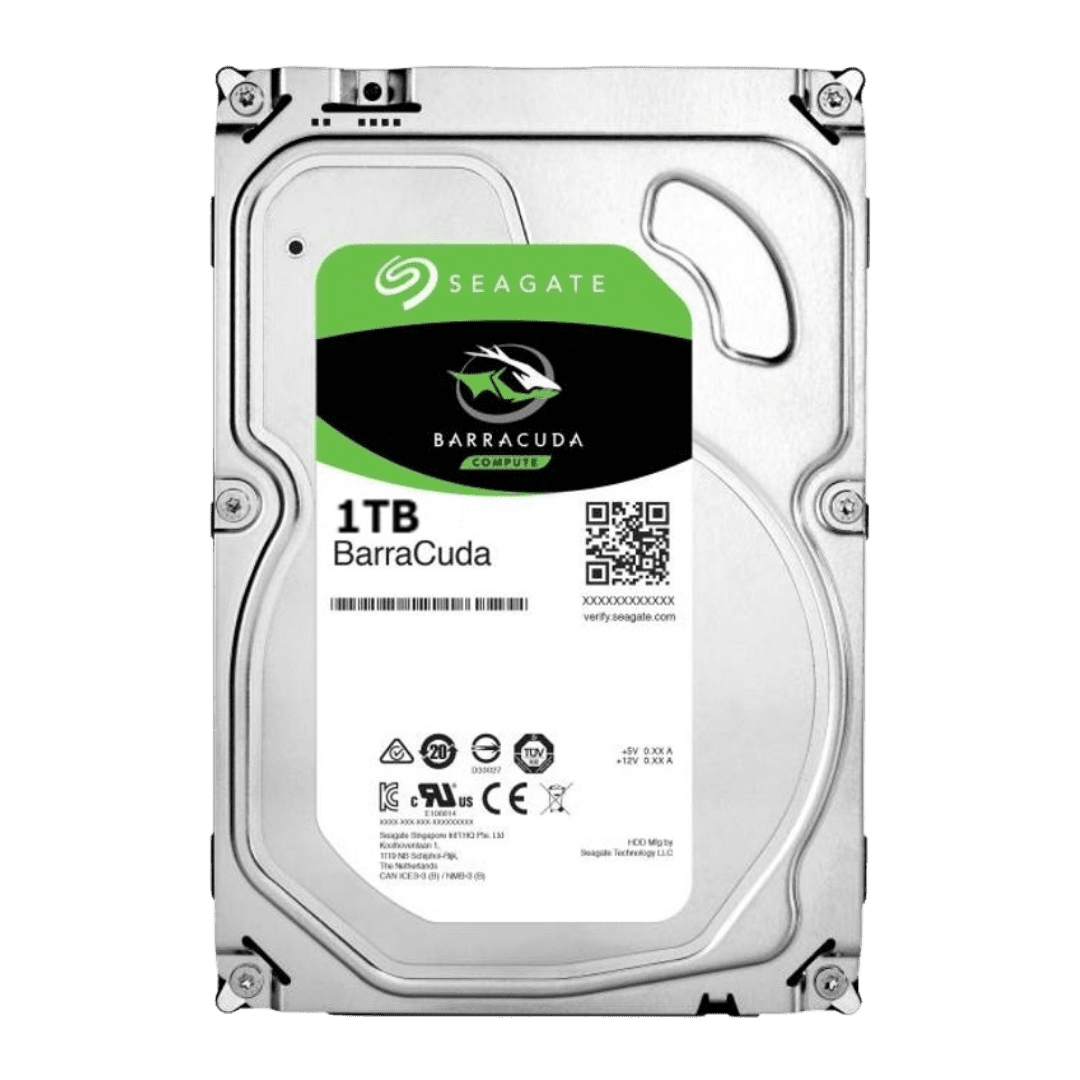
Seagate Barracuda 1TB HDD
1TB hard drive (HDD), 210 MB/s sequential. Good for bulk storage, not as your only drive.
Budget bulk storage. For game libraries where load times don't matter. Never use as a boot drive.
Official India stock. Full warranty through the brand's India service network, standard RMA if anything goes wrong.
Full specs
Motherboards with M.2 slots
Where to buy Seagate Barracuda 1TB HDD in India
Expect to pay roughly ₹5,300-5,800 for the Seagate Barracuda 1TB HDD in India right now, depending on offers and seller. I always recommend buying from retailers that give a proper GST invoice - it's what makes your India warranty claim smooth later.
Affiliate links on linked vendors - your price stays the same. PrimeABGB shown for comparison only.
In my years running a PC store, PrimeABGB (Mumbai) and Vedant Computers (Kolkata) have also been consistently reliable for verified stock - compare before buying.
Seagate Barracuda 1TB HDD India Review 2025 - Cheapest 1TB Storage But Know the Trade-offs
The Cheapest 1TB You Can Buy - But Is an HDD Still Worth It in 2025?
At ₹3,000–4,500, the Seagate Barracuda 1TB is the cheapest 1TB storage option you will find in India right now. A 1TB SATA SSD costs ₹5,000–7,000. A 1TB NVMe costs ₹3,500–5,000 at the budget end. The Barracuda undercuts both - and that price gap is the only reason to consider it in 2025.
I want to be direct about what this drive is and is not before you buy it.
What the Barracuda 1TB Actually Delivers
The Barracuda 1TB is a 3.5" SATA hard disk drive spinning at 7200 RPM with a 256MB cache and sequential read/write speeds up to 190 MB/s. For large sequential transfers - copying a movie folder, moving a batch of photos - those numbers are acceptable. You will notice the difference compared to an SSD, but it is not catastrophic for bulk file work.
Where HDDs fall apart is random access performance. Loading a game, booting Windows, opening applications - all of these operations require reading small files scattered across the disk. SSDs handle random reads at 30,000–100,000+ IOPS. This HDD manages around 80–100 IOPS. That difference is what makes games take 3–4x longer to load on an HDD versus an SSD. It is not a subtle difference.
Sequential Read:   ~190 MB/s
Sequential Write:  ~190 MB/s
Random Read IOPS:  ~80-100 (vs 30,000+ on SATA SSD)
Cache:             256MB
Interface:         SATA III 6Gb/s
RPM:               7200
The Right Use Case in India
I recommend this drive specifically for:
- Secondary storage alongside an SSD - Your OS and games live on the SSD. The Barracuda stores your downloads, video projects, photo backups, and files you access occasionally.
- Media libraries - A 1TB HDD holds around 200–300 full HD movies or a large music/photo collection without issue.
- Pure backup drives - If you are backing up files from your main SSD, the Barracuda works fine. Backup jobs run in the background and you do not care if the transfer takes a few extra minutes.
Do not use this as your only drive in a gaming PC. Every game launch will be slower, Windows boot will take 45–60 seconds instead of 10, and any game with open-world streaming (GTA V, Red Dead, Cyberpunk) will stutter while loading assets. Spend ₹3,500–5,000 on a budget NVMe like the WD Green SN350 for your OS and games, then add the Barracuda for overflow storage.
India Power Cut Warning
This is the part most Indian PC building guides skip. HDDs are mechanical devices. When power cuts out mid-write, the read/write head can crash into the platter surface - this is called a head crash and it can cause permanent data loss or drive failure. SSDs have no moving parts, so they handle sudden power loss far better.
In cities with frequent load shedding or voltage fluctuations - which is most of India outside major metros - I strongly recommend a UPS if you are running a desktop with an HDD. A basic offline UPS (650VA, ₹2,000–3,500) gives you enough time to save your work and shut down cleanly. It will extend the life of your HDD significantly.
Monsoon humidity is another factor. If your PC is in a poorly ventilated room with high humidity from July through September, moisture can affect HDD internals over time. Keep airflow reasonable and avoid leaving the PC in sealed, unventilated spaces.
Warranty and Availability in India
Seagate India provides a 2-year warranty on the Barracuda 1TB. RMA is handled through Seagate's authorized service centers across India - major cities are covered, but tier-2 and tier-3 cities may need to ship to the nearest center. Keep your purchase invoice; you will need it for warranty claims.
The drive is widely stocked at MDComputers, Vedant Computers, PrimeABGB, Amazon India, and Flipkart. Prices are broadly consistent across these, with occasional flash sale discounts on Flipkart and Amazon.
Who Should Buy This
Buy the Seagate Barracuda 1TB if you already have an SSD as your primary drive and need additional bulk storage on a tight budget. It is a solid secondary drive for the price.
Skip it if you are building a budget PC and this would be your only storage. In that case, spend ₹3,500–5,000 on a budget NVMe SSD instead. Faster boot, faster load times, better overall experience - the NVMe wins on every daily-use metric.
Price we have actually seen
Down 70.4% since we started tracking. Every point is a price our crawler recorded at an Indian retailer - no estimates, no MSRP. Tracking began recently, so the window grows week by week.
Questions
No. Use it as a secondary drive for game installs that you do not play often. Your active games and Windows should sit on an SSD for acceptable load times.
Two years from the purchase date. Seagate India handles warranty claims through authorized service centers.
Yes, especially if your area has power cuts. HDDs are more vulnerable to sudden power loss than SSDs, and a UPS protects against head crashes and data loss.
WD Blue 1TB is similarly priced and performs comparably. Availability in your city and current pricing at the time of purchase should drive the decision - both drives are reliable.