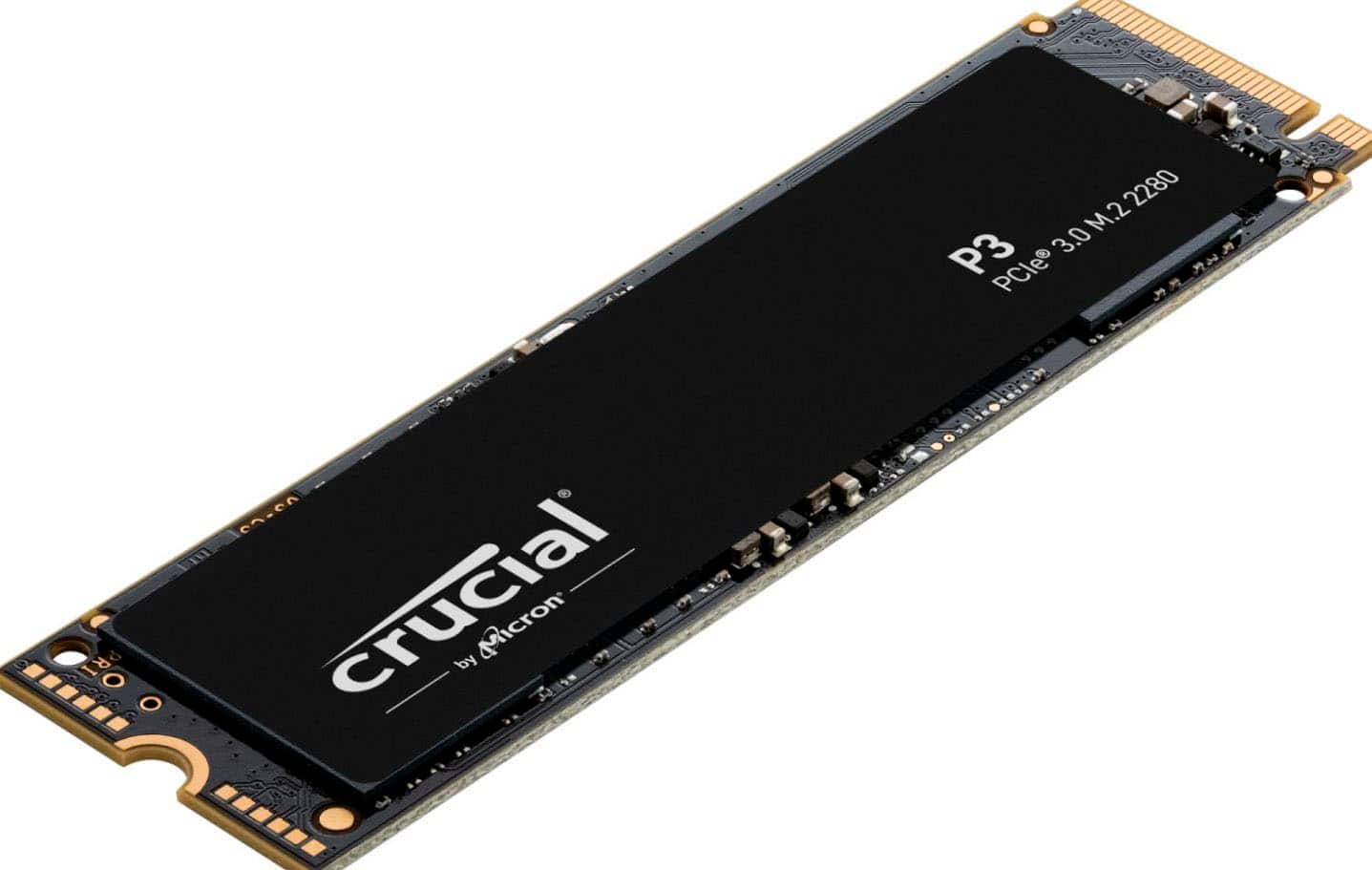
Crucial P3 1TB NVMe Gen3
1TB NVME GEN 3 SSD, 3500 MB/s read, DRAM-less (HMB).
Budget Gen3 NVMe. Works on older boards without Gen4. DRAMless but fine for gaming.
Official India stock. Full warranty through the brand's India service network, standard RMA if anything goes wrong.
Full specs
Motherboards with M.2 slots
Where to buy Crucial P3 1TB NVMe Gen3 in India
Expect to pay roughly ₹7,400-8,200 for the Crucial P3 1TB NVMe Gen3 in India right now, depending on offers and seller. I always recommend buying from retailers that give a proper GST invoice - it's what makes your India warranty claim smooth later.
In my years running a PC store, PrimeABGB (Mumbai) and Vedant Computers (Kolkata) have also been consistently reliable for verified stock - compare before buying.
Crucial P3 1TB NVMe Gen3 Review India 2025 - The Right Budget SSD for Older Boards
Crucial P3 1TB - The Budget NVMe That Makes Sense on Gen3 Boards
There's a trap a lot of Indian builders fall into: they buy a PCIe Gen4 NVMe for a B450 or older B550 board that only has Gen3 M.2 slots. The drive works, but you're paying for Gen4 speeds the board physically cannot deliver. The Crucial P3 exists precisely for this situation - and it does the job honestly.
Price in India: ₹7,750–5,000. That's about ₹500–1,500 less than comparable Gen4 budget options, and on a Gen3 board, that saving is real money not spent on wasted speed headroom.
Who Has a Gen3-Only Board in 2025?
More people than you'd think. If you're on:
- AMD B450 (any variant)
- AMD X470
- Intel H410, B460, H510 (10th gen boards)
- Entry-level B550 boards with a single M.2 slot listed as "PCIe Gen3"
...your M.2 slot runs at Gen3 speeds regardless of what drive you install. The P3 is built for exactly this.
It also matters for budget upgrade builds - you might be adding an NVMe to an existing system that wasn't built for Gen4. No reason to spend on Gen4 speed the platform can't use.
QLC NAND and What That Means Practically
The P3 uses QLC NAND. I've explained what this means in other articles, but the short version: QLC packs more data per cell, reducing cost and increasing density at the expense of write endurance and sustained write speed. The P3 uses an SLC write cache to mask this - for most operations, it writes at full Gen3 sequential speeds.
The cache fills after roughly 10GB of continuous sequential writes on the 1TB model. After that, sustained write drops to 600–900 MB/s (still fast, just not what the spec sheet advertises).
For a gaming PC, this almost never matters. Game installs, OS updates, and typical file operations are burst-write patterns, not sustained 30–50GB sequential writes. The QLC limitation would bite you more in a video editing workstation.
Gen3 vs Gen4 for Gaming - The Honest Gap
The most common question I get: "Should I just pay more for Gen4 even on a Gen3 board?" No, for two reasons. First, your Gen3 M.2 slot will throttle a Gen4 drive to Gen3 speeds - you pay for speed you can't access. Second, even if you had a Gen4 board, game loading differences between Gen3 and Gen4 NVMe are measured in seconds at most. The upgrade from SATA SSD to any NVMe is the big jump. NVMe Gen3 to Gen4 is marginal for gaming.
Power Cuts in India - SSDs vs HDDs
One thing worth mentioning for Indian builders: SSDs, including QLC drives like the P3, are substantially more resilient to sudden power cuts than HDDs. India's power infrastructure means unexpected cuts happen - particularly in tier-2 and tier-3 cities, and in older residential areas even in metros. An HDD mid-write during a power cut can cause corruption or head crashes. An SSD is far less vulnerable. This is a practical reason to go NVMe over HDD for your primary drive even if budget is tight.
India Pricing and Availability
₹3,500–5,000 at MDComputers, Vedant Computers, and Amazon India. Crucial products in India are distributed through Rashi Peripherals, which has solid pan-India reach including tier-2 cities. Warranty claims are handled locally - generally faster than brands without a Rashi partnership.
Who Should Buy the P3
Gen3-only board (B450, X470, older H410/B460). Budget upgrade from SATA SSD on an existing system. Secondary storage drive where speed isn't critical. First SSD build on a tight budget.
Who Should Skip
If your board supports Gen4 M.2, spend ₹500 more on the P3 Plus and get the Gen4 version. The P3 on a Gen4 board works but is leaving speed on the table for a small price difference. Also skip if you're doing sustained large-file writes regularly - QLC isn't ideal for that workload.
Price we have actually seen
Down 0.0% since we started tracking. Every point is a price our crawler recorded at an Indian retailer - no estimates, no MSRP. Tracking began recently, so the window grows week by week.
Questions
Yes, it's backwards compatible. But it'll run at Gen3 speeds regardless. Get the P3 Plus instead for a Gen4 slot.
Yes. Windows operations are mostly random IO and light sequential, well within the P3's SLC cache. Boot times are fast.
Both are QLC Gen3/Gen4 budget options. Price at the time of purchase is the deciding factor - whichever is cheaper. Crucial has a slight edge on warranty support through Rashi Peripherals.
No. The standard 2280 bare drive is all that's available. Add a third-party heatsink if your board doesn't have M.2 thermal padding.