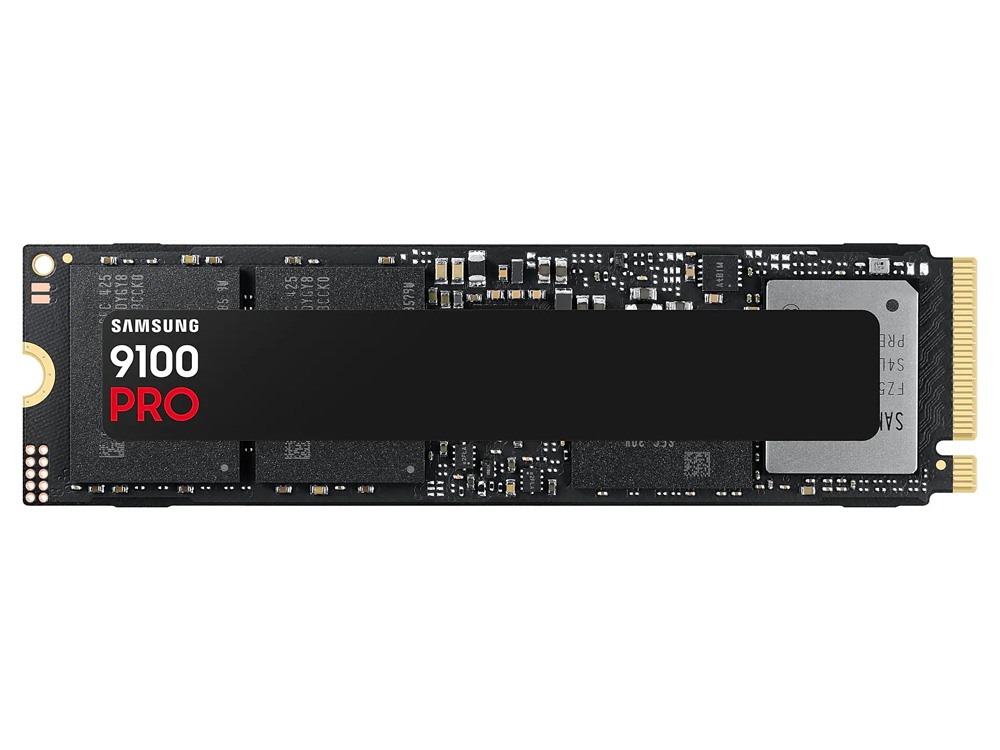
Samsung 9100 Pro 1TB NVMe Gen5
1TB NVME GEN 5 SSD, 14700 MB/s read, DRAM-cached.
Samsung's first true PCIe 5.0 SSD. 14,700MB/s — 2x faster than 990 Pro. Best for AI workloads and video editing. Requires Gen5 M.2 slot. 5nm controller.
Official India stock. Full warranty through the brand's India service network, standard RMA if anything goes wrong.
Full specs
Motherboards with M.2 slots
Where to buy Samsung 9100 Pro 1TB NVMe Gen5 in India
Expect to pay roughly ₹27,800-30,700 for the Samsung 9100 Pro 1TB NVMe Gen5 in India right now, depending on offers and seller. I always recommend buying from retailers that give a proper GST invoice - it's what makes your India warranty claim smooth later.
Affiliate links on linked vendors - your price stays the same. PrimeABGB shown for comparison only.
In my years running a PC store, PrimeABGB (Mumbai) and Vedant Computers (Kolkata) have also been consistently reliable for verified stock - compare before buying.
Samsung 9100 Pro 1TB NVMe Gen5 India 2025 - 14,700 MB/s for ₹29,000?
Samsung 9100 Pro 1TB: Gen5 Speed Is Real - But Do You Actually Need It?
Gen5 NVMe is here, and Samsung's 9100 Pro is one of the first drives to hit India at reasonable availability. I've been watching this market for a while, and I'll be straight with you: the 9100 Pro is technically impressive in ways that most Indian builders won't fully utilize. But for the right workload and the right platform, it's the best storage you can put in a PC today.
What PCIe Gen5 Means in Practice
The 9100 Pro uses PCIe 5.0 x4 - four lanes of Gen5 bandwidth totaling about 128 Gbps. That's what enables the 14,700 MB/s sequential read. Compare that to a top Gen4 drive like the Samsung 990 Pro at around 7,450 MB/s, or the WD SN850X at 7,300 MB/s - the 9100 Pro is roughly twice as fast on sequential reads.
For random 4K reads (IOPS), which matters more for OS responsiveness and general use, the 9100 Pro also leads - but the gap over Gen4 narrows considerably in everyday desktop workloads.
Platform requirement: You need a motherboard with a PCIe 5.0 M.2 slot. Currently in India that means AMD X870/X870E boards (paired with Ryzen 9000 series) or Intel Z890 boards (paired with Core Ultra 200 series). B850 boards also carry a Gen5 M.2 slot. If you're on B650, X670, Z790, or anything older - you'll run the 9100 Pro at Gen4 speeds, which means you're paying Gen5 prices for Gen4 performance. Don't do that.
Performance Comparison
The 9100 Pro's 14,700 MB/s read puts it nearly 2x ahead of the best Gen4 drives. Write speeds of 13,400 MB/s are equally impressive. These numbers translate directly to faster large file transfers - exporting a 20GB video project, copying 4K RAW footage from an SD card, or handling large photogrammetry datasets.
For sustained writes, the 9100 Pro maintains high speeds well. Samsung's controller and cache architecture keeps it from the thermal throttling that plagued some early Gen5 drives from other brands.
The Heat Problem
Gen5 drives run hot. The 9100 Pro can hit 70–80°C under sustained load without a heatsink, and at those temperatures the drive throttles - defeating the point of paying for Gen5. If your motherboard has an M.2 heatsink cover (most B850/X870/Z890 boards do), use it. If not, Samsung sells an optional heatsink, or you can use a third-party M.2 thermal pad. This is not optional - it's a prerequisite for buying this drive.
India Pricing
Current prices in May 2025:
- MDComputers: ₹12,499–14,999
- PrimeABGB: ₹13,499–15,999
- Vedant Computers: ₹13,999–16,499
- Amazon India: ₹12,000–16,000 (verify Samsung authorised seller)
- Flipkart: ₹13,499–15,999
The 9100 Pro carries Samsung's 5-year warranty. At this price, verify the seller's credentials - grey market Gen5 SSDs with no Indian warranty exist on Amazon marketplace.
Who Should Buy the 9100 Pro 1TB
Buy it if you're building a high-end content creation or creative workstation on a Gen5-capable platform (X870, Z890) and regularly move large files. Video editors working with 4K RAW or 8K footage, 3D artists rendering from large asset libraries, or photographers running Lightroom catalogues with hundreds of gigabytes of RAW files - these workloads genuinely benefit from Gen5 throughput.
Buy it if you're building a flagship system and want the best available storage regardless of whether the benchmarks translate to daily gaming - that's a valid choice.
Who Should Skip It
Skip the 9100 Pro if you're a gamer. Game load times on Gen5 versus a good Gen4 drive (like the WD SN850X) are measured in fractions of a second in almost every title. You'd be paying a ₹3,000–6,000 premium over a Gen4 flagship for zero perceptible gaming benefit.
Also skip it if your motherboard is B650, X670, Z790, or older. These boards lack Gen5 M.2 lanes - the 9100 Pro will run at Gen4 speeds, making it an expensive 990 Pro substitute.
Price we have actually seen
Down 0.4% since we started tracking. Every point is a price our crawler recorded at an Indian retailer - no estimates, no MSRP. Tracking began recently, so the window grows week by week.
Questions
AMD B850, X870, and X870E boards (Ryzen 9000 series platform) all carry at least one Gen5 M.2 slot. On Intel's side, Z890 boards support Gen5 M.2. B760, Z790, and previous-gen AMD boards top out at Gen4.
Yes - significantly, under sustained sequential writes. The controller pushes enough heat to hit thermal limits without active thermal management. Always use the motherboard's M.2 heatsink cover or add a thermal pad/heatsink.
Honest answer: almost none in game load times. DirectStorage titles may show marginal improvements, but today's game engines are not optimized to utilize Gen5 sequential bandwidth. For gaming specifically, a WD SN850X Gen4 at half the price is the smarter buy.