PSU Tier List India 2026 - Best Power Supplies Ranked
PSU tier list India 2026 ranked by efficiency and value. Corsair, Seasonic, MSI, Deepcool, NZXT compared with India warranty coverage and wattage guide.

This PSU tier list for India compares power supplies by their suitability for different PC builds. Start with the shortlist below, then check the exact model, revision, GPU cables, case fit and warranty before buying. A power supply is also commonly called an SMPS in Indian shops.
The table uses SPL’s published tier classifications; GetPC’s buying notes are separate. The same brand can sell very different power supplies. GetPC is a parts catalogue and buying-advice site; the linked retailer sets the final price and sale terms.
The Tier List
Compare the exact model and generation first. The four graded entries below have been checked against SPL’s published list on 17 October 2026. They are a selected shortlist, not a complete database or GetPC laboratory grades. The detailed guide below covers additional models without assigning unverified letters.
Compact-case candidate. Confirm SFX support and cable reach; distinguish it from the older SF750.
Check model & tracked price →The S matters: GLS is not A750GL. Confirm the exact box, supplied cable and local warranty.
Confirm the retailer’s quote and support eligibility.Do not transfer the GLS grade to this model. Check cable rating and the GPU’s system requirement.
Check model & tracked price →Candidate for a suitable modest build. A 650W label alone does not establish compatibility with every GPU.
Check model & tracked price →Showing 4 checked entries. Grades: SPL’s tier list · checked 17 October 2026.
Tier is a sourced classification. Gold/Bronze describes efficiency. Watts describes capacity.
RM/RMe/RMx, Focus GX, PQ750M, NZXT C750 and the other named models still receive model-specific buying advice. Their unspecified revisions do not receive guessed tier letters here. Unranked does not mean unsafe.
A useful price comparison: calculate the premium between two units that already pass your checks. Paying extra for the correct GPU cable, a documented quieter operating range or a needed compact form factor can make sense. Paying extra only to move up a letter in somebody’s tier chart is not a measurable benefit.
How I'm Ranking These
The letters in the table are SPL’s classifications, checked for the listed model families and generations. They are not GetPC’s own test scores, efficiency badges or measured failure rates. Read the source’s model notes and methodology as well as the letter. GetPC’s separate buying advice then considers the system, price, physical fit and support eligibility.
Electrical evidence
Look for a report on the same model and revision, including regulation, ripple, transient response and protections. An OEM name or capacitor country alone cannot establish the quality of the finished unit.
Practical compatibility
Capacity, connector count, cable rating, PSU size and cable reach must all suit the system. Efficiency and noise are separate considerations. A fanless mode is useful only if the behaviour suits your actual load.
India purchase evidence
Compare the final delivered price and confirm authorised stock, invoice details and the warranty contact for that exact unit. A global warranty term is useful evidence, but it does not prove a particular seller’s stock is supported locally.
Manufacturer specifications tell us what a product is designed to provide. Laboratory reports describe the sample tested under stated conditions. Neither proves that every retail sample will last a decade. This page does not claim private distributor conversations, local failure statistics or GetPC laboratory measurements.
Choose Your Starting Point
I am building a new gaming PC
Write down the exact GPU, CPU and case first. Use the graphics-card maker’s PSU recommendation as a starting point, then check CPU power settings and connectors. For a new 16-pin GPU build, compare suitable ATX 3.1 units with their supplied GPU cable.
See the shortlist →I am upgrading an existing PC
Find the PSU’s full label, age and original cables. An adequate existing unit does not become obsolete because a newer standard exists. An unknown prebuilt PSU or missing modular cables needs investigation before ordering a more demanding GPU.
Run the replacement check →I am building in a small case
Read the case manual before filtering by wattage. SFX and SFX-L are different sizes; some compact cases accept ATX. Check cable space, radiator interference and GPU power-plug clearance as well as the PSU’s metal housing.
Check physical fit →Your first useful result: a note containing your exact GPU, CPU, case and any PSU you already own. Without that, even a well-reviewed PSU can be the wrong purchase. Keep retailer tabs closed until you can fill in those four fields.
Exact Models: What to Buy and What to Check
The warranty terms below are published manufacturer terms, subject to eligibility and regional handling. Confirm Indian coverage before payment. Price links lead to GetPC catalogue records; a generic record name does not confirm the seller’s revision.
Corsair RM, RMe and RMx: keep the suffix
Start here: the RM750e ATX 3.1, with base SKU CP-9020295, is a compact, fully modular option with a supplied 12V-2x6 GPU cable. Corsair specifies a 140mm housing depth and seven-year warranty. Check the regional suffix and box contents on the unit being sold.
Evidence: manufacturer specification · Cybenetics RM750e ATX 3.1 sample report.
RM, RMe and RMx are not interchangeable names. Corsair’s policy lists seven years for RMe and ten for RMx and RM models produced from 2019 onward. Do not apply the RM750e report to an RM650e, an older RMe or an RMx simply because the badge looks similar.
The RM650e remains in our price tracker: from ₹8,399. Use the actual 650W listing’s manual to establish its revision and cables. Choose capacity from the system requirements rather than treating every RMe as suitable for every 1440p build.
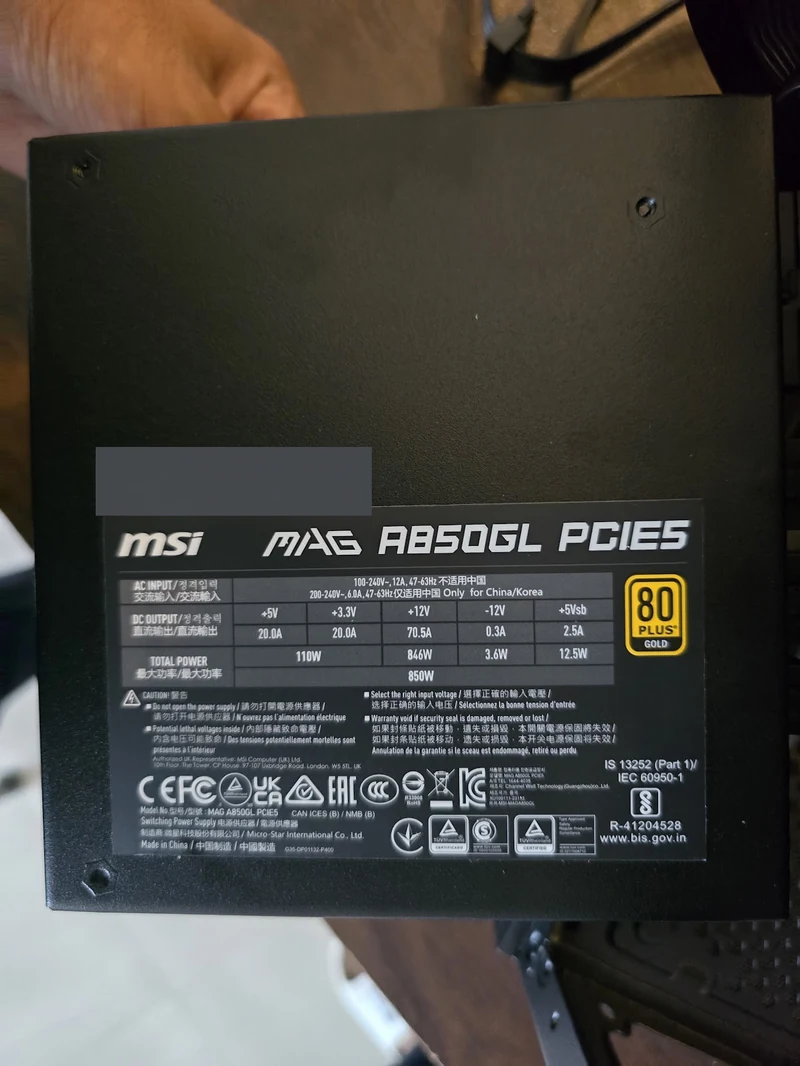
MSI MAG A750GL PCIE5: check both revision and noise
Compare when: you want a modular gaming PSU with a supplied 16-pin GPU cable. MSI’s current product page describes ATX 3.1; its official US store lists a ten-year limited warranty. Confirm the applicable India term for the supplied stock. Read the cable’s rated capability for your GPU, rather than assuming every 16-pin cable carries the same maximum power.
Evidence: MSI product page · Cybenetics sample report, issued February 2024.
The report includes electrical and acoustic measurements; it is more useful than an efficiency badge alone. It also records no semi-passive operation for that sample, so do not promise fan-stop behaviour based on the Gold logo. A later website specification is not evidence that every older retail box has changed. Ask which revision is supplied and match its documentation.
Seasonic Focus GX: generation matters
The documented Focus GX ATX 3.1 generation covers 750W, 850W and 1000W, with a 140mm housing and a supplied 12V-2x6 cable. Seasonic publishes a ten-year warranty. It is a reasonable premium comparison if the price, exact revision and local support route make sense. See the manufacturer specification.
Older Focus GX units, ATX 3.0 units and newer v5 listings must be identified separately. The older generic GX-750 tracker price is check current retailer price; it does not identify the generation. A photograph of “Focus GX” on a box without its full model details is insufficient to settle that question.
DeepCool PQ750M: do not confuse PQ, PX and newer families
The PQ750M documentation specifies ATX12V 2.4, modular cables and a ten-year warranty. The PQ-M manual lists Japanese electrolytic capacitors; the earlier claim that it necessarily loses to Corsair because of non-Japanese capacitors was unsupported. Even accurate capacitor sourcing is not a complete electrical assessment. See the PQ-M manufacturer manual.
Tracked PQ750M price: check current retailer price. Compare it when its cable arrangement suits your GPU and the discount is worthwhile. Do not assume a newer PX-series feature is included. The documented PQ-M range is 650W to 1000W; a PX1200G is a different family, not a PQ1200M continuation.
650W, 750W, 850W or 1000W: compare within the right capacity
An 850W PSU tier list is useful only after establishing that 850W suits the PC. Compare the exact RM850e, Focus GX-850 or MAG A850GL revision using its own specifications and test evidence. A favourable 750W report is not automatically an 850W review, even when the units share a family name.
The same applies to the RM1000e: buying more capacity does not turn it into an RMx or HXi. For a 650W build, compare the RM650e with other suitable exact models; for a 750W build, start with the documented examples above. Choose the capacity from the GPU maker’s system recommendation and your CPU workload, then compare prices inside that group. Do not buy a larger unknown unit just to reach a higher number on the box.
NZXT C750 Gold: the model code prevents a wrong purchase
NZXT’s PA-7G1BB C750 Gold specification lists ATX12V 2.52, modular cables and a ten-year warranty. The newer C750 Gold Core is a different product. NZXT’s cable compatibility page separates model generations and explicitly warns against mixing incompatible cables.
Tracked C750 Gold price: check current retailer price. Ask the shop for the label code and included cables before comparing it with an ATX 3.1 shortlist. We are not assigning it a lower electrical grade because of an unverified claim that NZXT’s Indian service network is worse.
Compact cases: Corsair SF750 and SilverStone SX700-LPT
For the newer SF750, check base SKU CP-9020284 and its documentation. Corsair describes an ATX 3.1 SFX unit with Type 5 cables and a seven-year warranty. The older SF750 is not the same revision. Use the current SF750 product page and matching-generation Cybenetics report to investigate further.
SilverStone’s SX700-LPT is SFX-L, with 130mm depth, rather than the shorter SFX format. Its manufacturer comparison table distinguishes those sizes. Confirm your case supports SFX-L and leaves cable space. Never substitute it into an SFX-only recommendation on wattage alone.
Other models from the earlier list: what needs checking?
Corsair HX1200i and MSI MEG Ai1000P: investigate for a workstation, heavy sustained load or a high-power GPU system whose requirements justify the capacity. Corsair lists ten years for HXi. MSI lists ten years for the Ai1000P, but its current web page and older datasheet use different ATX wording; the supplied revision’s documentation must settle the purchase. Do not buy either simply because it was placed in an “S tier”. MSI page · older MSI datasheet.
RM850x SHIFT: keep it in the comparison only after checking side-connector clearance and case support. Its cable layout is a physical-fit decision; it does not belong below other RMx models because of a guessed service difference.
Gigabyte UD750GM, Cooler Master MWE Gold/V750 Gold and Antec HCG 850: retain these as models to investigate when shopping locally. Their names alone are too broad to award one shared tier, warranty term or platform. Ask for the full SKU and generation, then find its own manual and independent report. A shop having a unit on its shelf does not establish its quality or official support status.
Budget Builds: Where to Save and Where to Stop
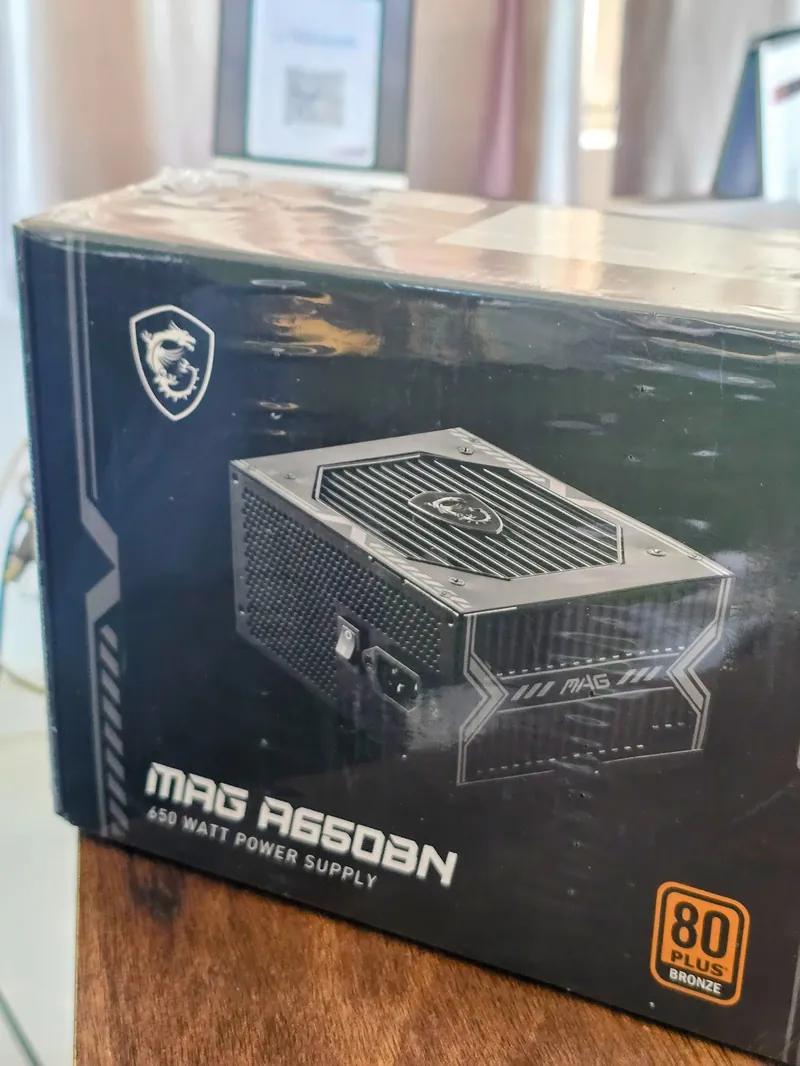
MSI MAG A650BN
The original A650BN is a fixed-cable Bronze model with a published five-year limited warranty. It is separate from newer PCIE5 III products. Compare it for a modest system after checking GPU requirements, cable count and exact-model test evidence. Original model specification.
MWE 550 Bronze V2 230V
The MPE-5501-ACABW-B specification lists a 200–240V input range and five-year warranty. It is not the full-range variant. The distinction matters when matching input conditions and reviews. Exact 230V model specification.
Corsair CV, Antec NeoEco Bronze and Antec CSK550 remain lower-cost names to investigate, not blanket substitutes. Corsair’s published CV term is three years. CSK550 tracker price: check current retailer price. Establish each exact unit’s input range, connectors and warranty before choosing the cheapest offer.
DeepCool PF450 belongs in a separate comparison: its manufacturer specifies 80 PLUS 230V EU Standard/White, not Bronze. See the PF450 specification. Do not group it with every Bronze unit or recommend it for a future high-power GPU without redoing the system checks.
Spend less by skipping features you do not need: decorative cables, unnecessary capacity or full modularity in a roomy case. Do not save by accepting an unidentified model, a missing original cable set, a seller refusing to identify the product, or a supply that fails the graphics-card maker’s requirement. An RX 6600 and Ryzen 5 5600 example still needs its exact card and CPU settings checked.
Wattage Guide - What Your Build Actually Needs
The PSU’s wattage describes rated output to the computer. It does not mean a 750W PSU constantly draws 750W from your wall. Conversely, a GPU’s published board power is not the total system requirement. CPU settings, drives, cooling and short power excursions also matter.
Find the GPU maker’s system recommendation
Use the exact board partner’s page or manual. NVIDIA’s reference RTX 5070 guide specifies a minimum 650W system PSU; its reference RTX 5090 page specifies 1000W. An overclocked partner card can set a different requirement.
Account for the rest of your PC
Check CPU maximum power settings and sustained work, not just the processor’s TDP label. A gaming PC and a CPU-plus-GPU rendering workstation can need different headroom even with the same graphics card.
Check the actual PSU and its cable set
Meeting the wattage floor is necessary but insufficient. Check continuous output specifications, required connectors, documented electrical behaviour and the rating of the supplied GPU cable.
Use GetPC’s PSU wattage calculator to organise an estimate, then confirm it against manufacturer instructions. A planning estimate is not a wall-meter measurement or a laboratory transient test. Leave room for a specific intended upgrade rather than guessing that a fixed extra 15–20% guarantees lifespan.
Worked buying decision: RTX 5070
First verify your exact card’s recommendation. If it is 650W and the rest of the system is appropriate, a suitable 650W unit can meet that starting requirement. A 750W unit may be worthwhile for a planned upgrade or quieter operation supported by its noise curve; the larger label alone does not promise either.
RTX 5070 reference manual · RTX 5090 reference specification.
For an RTX 5090, begin with the exact card and whole-system recommendation. Compare 1000W or higher only as appropriate to those requirements. PX1200G tracker price: check current retailer price; RM1000e tracker price: check current retailer price. Neither linked record certifies every revision for every 5090 configuration.
Read the Cable Map Before Connecting Anything
Each row below is a separate connection from the PSU to one destination. It is not an installation sequence, a motherboard layout or a pinout diagram. For installation, follow your PSU, motherboard and graphics-card manuals with mains power disconnected.
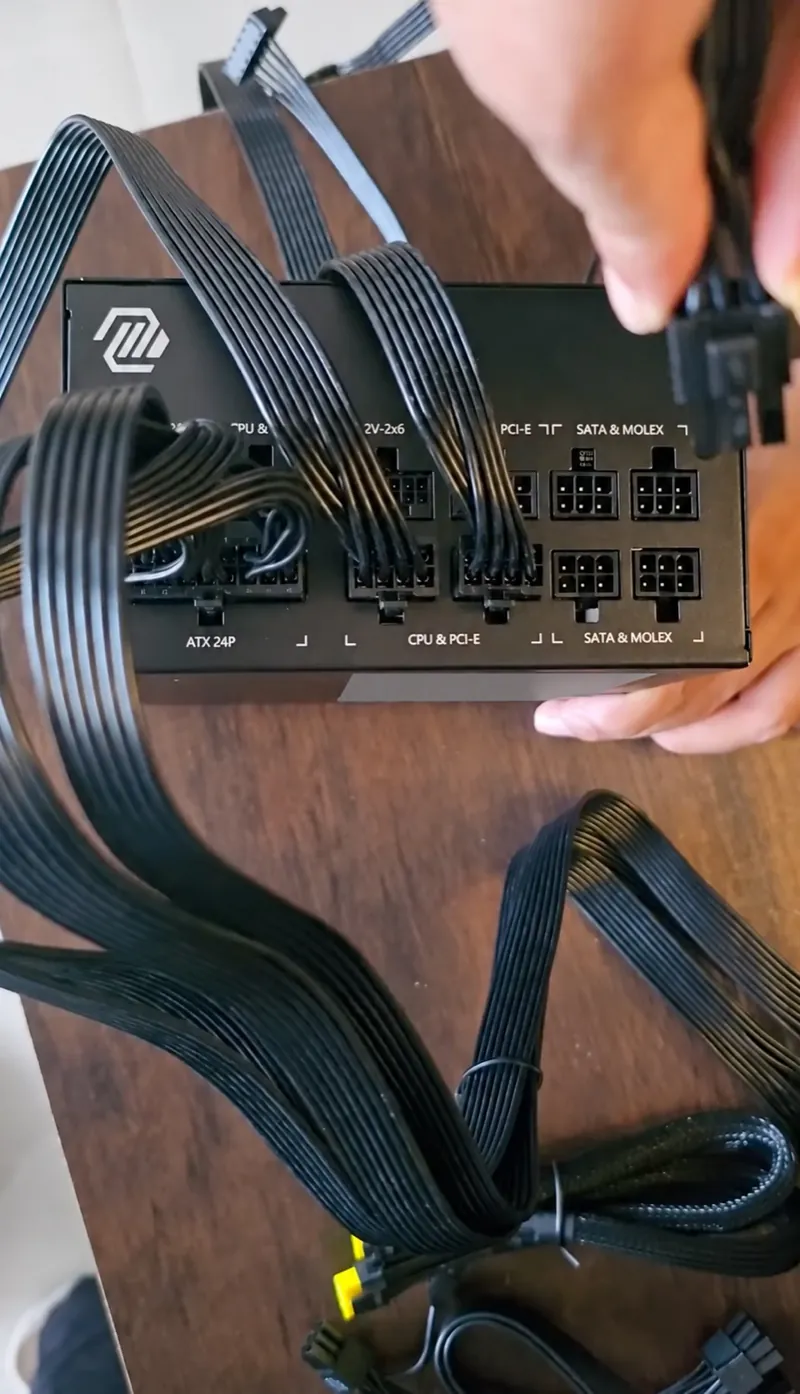
A modular cable fitting into a socket is not proof of compatibility. When replacing a PSU, replace its modular cables too unless the manufacturer explicitly lists that exact combination as compatible. Keep spare cables labelled with the PSU model; mixing them in one unlabelled box makes a future upgrade harder to check.
Do I Need an ATX 3.1 PSU with a 12V-2x6 Connector?
For a new build with a suitable 16-pin graphics card, an appropriately rated ATX 3.1 model with its manufacturer-supplied cable is a convenient shortlist. It can reduce adapter clutter. It does not remove the need to verify capacity, connector rating, insertion or case clearance.
ATX version, GPU connector and efficiency are three separate checks. The ATX design guide addresses PSU requirements including short-duration power excursions. The 12V-2x6 connection is a GPU power interface. Gold or Platinum describes an efficiency certification. A sticker for one does not establish the other two.
A suitable existing PSU can work with a manufacturer-approved cable or the graphics card’s approved adapter when all requirements are met. Follow the specified number of PCIe cables and connections; do not improvise an adapter chain. Read the actual included instructions rather than treating a social-media wiring photograph as a universal configuration.
Before the side panel goes back on
Check full insertion and latch engagement at the GPU and PSU. Leave the cable’s specified bend clearance and ensure the panel does not push the plug sideways. The revised connector is not a guarantee against poor seating or damaged contacts. Stop using a visibly damaged or heat-discoloured connection and contact the manufacturer.
Check Case Fit and Modular Cables
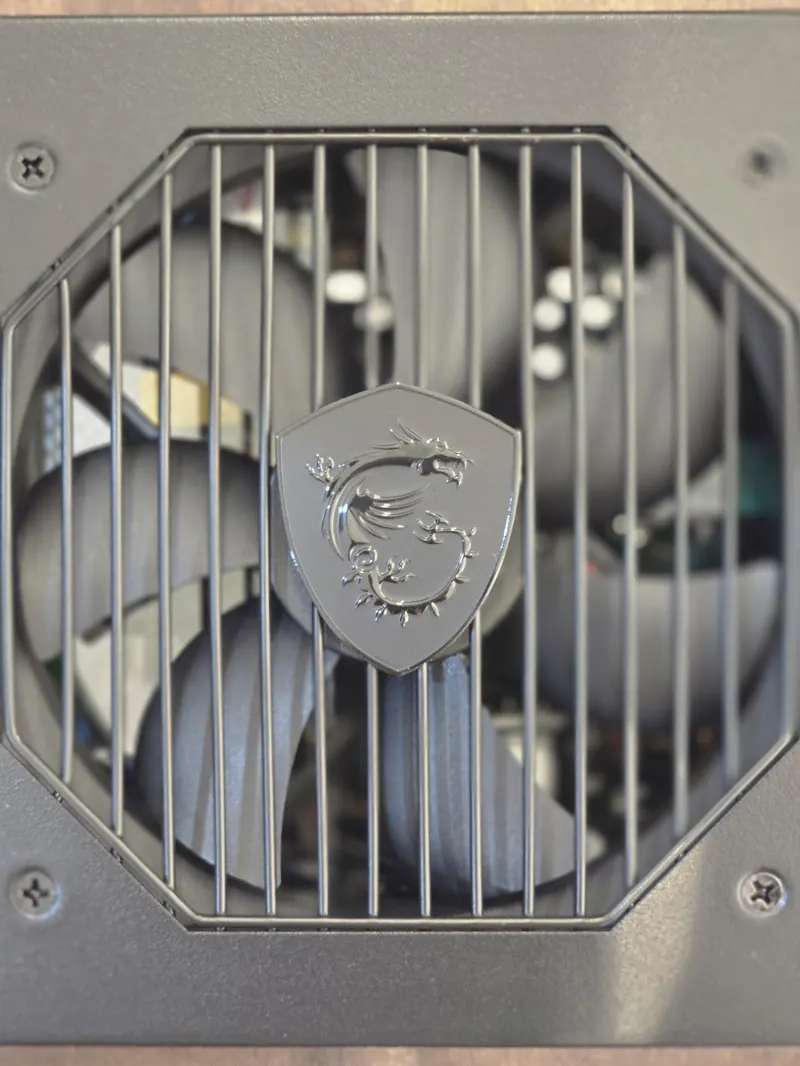
Measure these four things before ordering
- PSU format: ATX, SFX or SFX-L, as accepted by the case and bracket.
- Housing depth plus cables: the published metal-box depth excludes the usable room needed for plugs and cable routing. A drive cage can occupy that space.
- Connector access: side-facing modular sockets such as SHIFT need compatible side clearance. Check the case manufacturer’s instructions.
- Cable reach and GPU clearance: ensure the CPU cable reaches behind the tray, and the GPU plug has room under the side panel. Do not force a tight bend just to close the case.
Fully modular means every output cable detaches. Semi-modular leaves some attached, while a fixed-cable unit leaves them all attached. Modularity is a routing convenience, not a measure of voltage quality. In a roomy case, a suitable fixed-cable supply may be the better budget allocation.
What Bronze, Gold and Platinum Actually Change
Efficiency tells you how much wall power becomes useful DC output. At the same computer load, a less efficient PSU takes more input power and releases more heat. It does not mean a 650W Gold unit supplies more rated output than a genuine 650W Bronze unit.
The 80 PLUS programme certifies efficiency under defined conditions. Match the voltage/test category and operating point when comparing results. A Cybenetics report can add useful efficiency and acoustic information; detailed sample results also need their test conditions read. An average noise figure across many loads is not the noise you will always hear while gaming.
What would efficiency save on your bill?
Use efficiency at the same load and mains voltage. These defaults are examples, not measurements of two products or guaranteed certification results.
Enter 1–2,000W, efficiencies 1–100%, 0–24 hours and ₹0–100/kWh. A constant load is assumed; standby use and other electricity charges are excluded.
- PSU A · wall power
- 340.9W
- PSU B · wall power
- 326.1W
PSU B saves ₹260 per year
Formula: (DC watts ÷ A efficiency − DC watts ÷ B efficiency) × hours × 365 ÷ 1,000 × tariff. Efficiencies are fractions in the calculation.
Read the example as an estimate, not a Bronze-versus-Gold promise. A PC delivering 300W to components at 88% efficiency takes about 341W from the wall; at 92%, about 326W. The difference is roughly 15W. At six hours daily and ₹8/kWh, that is about ₹260 yearly. Idle time, changing loads, tariff slabs and actual measured curves change the result.
If the more efficient PSU costs ₹2,000 extra, energy savings alone would take roughly eight years under that illustrative constant-load scenario. You might still choose it for documented electrical performance, acoustics or cabling. Those are separate benefits; do not invent a large annual electricity saving to justify the purchase.
India-Specific Notes
Ask the shop this
“What is the full model code and revision? Is this stock eligible for manufacturer support in India? What invoice will I receive, and who handles an RMA from my city?” Save the written answer with the listing and bill.
Keep a claim folder
Save the purchase invoice, model/serial photo, seller details and support correspondence privately. If a fault develops, record symptoms and follow the brand’s diagnostic process. Do not open the PSU enclosure to inspect components.
Avoid assigning one distributor to an entire brand indefinitely. Support arrangements and eligible stock can change; use the manufacturer’s current India support route for the particular product. A two-year shop warranty and a longer published manufacturer term are different offers and should be clarified before payment.
Check the final delivered price, taxes shown on the invoice and return terms rather than assuming a marketplace badge establishes authenticity. Parallel imports can have different support arrangements and shipping obligations. A lower price is not automatically bad stock, but an unexplained warranty mismatch is a reason to ask for evidence.
A PSU is also not a UPS. It cannot keep a PC running through a power cut. For backup, compare both the UPS’s watt limit and VA rating, expected runtime and compatibility with the PSU. Include the monitor and other connected equipment in that calculation. Browse UPS catalogue entries, then verify the exact UPS manual before buying.
Do not infer mains-voltage tolerance from an efficiency label. Read the PSU’s specified input range, and get recurrent wiring or earthing problems checked by a qualified electrician. Buying a Gold unit is not a substitute for fixing a faulty outlet or choosing appropriate backup equipment.
Keep or Replace Your Existing PSU
Reuse check: answer these before upgrading the GPU
- Can you identify the exact PSU, its purchase history and original compatible cables?
- Does it meet the new card’s whole-system requirement with your actual CPU settings?
- Does it have the required connectors and an approved cable or adapter arrangement?
- Is there enough physical space without pressing on the GPU connector?
- Are there unexplained shutdowns, damaged cables or other faults that need diagnosis first?
If an answer is unknown, resolve it before buying the GPU or powering the new configuration. Age alone is not a universal expiry date, but an untraceable used supply with missing cables offers poor evidence for an expensive upgrade. A fan spinning or a basic power-on test does not prove a PSU behaves correctly under load.
Who Should Skip the Premium Tier
Skip extra capacity when your identified build does not need it and no concrete upgrade is planned. An office PC using integrated graphics does not need a flagship workstation PSU merely because it is the top row in a chart. Use the custom PC budget guide to protect the whole build budget.
Skip a compact premium when an ordinary ATX supply fits properly. Skip digital monitoring if you will never use it. Consider semi-modular or fixed cables when the case provides easy routing. Keep the exact-model evidence, correct output, required cables and support eligibility as the non-negotiable checks.
Before checkout, your note should now contain: exact SKU, required watts, connector plan, case clearance, final price and warranty contact. If two units pass, choose the one whose documented benefit you actually need at the better total price. It is acceptable to leave a model unranked when the evidence is incomplete.
Frequently Asked Questions
It can be, if the exact PSU meets the system’s requirements and has appropriate electrical evidence and connectors. Bronze is an efficiency category, not an automatic safety verdict. Gold can reduce conversion losses, but it does not by itself prove better protections or tolerance of your local mains supply.
It matters for routing and available space. Fully modular lets you leave unused cables out; semi-modular leaves some essential cables attached. Neither arrangement alone establishes electrical quality. Check cable compatibility carefully, especially when replacing a PSU or buying an aftermarket cable set.
NVIDIA’s reference installation guide specifies 650W minimum system power. Check the exact partner card and your complete system as well. A suitable 650W PSU may meet those requirements; “650W” on an unknown unit is insufficient evidence. Verify the approved GPU cable/adapter arrangement before reuse.
Start with the exact card maker’s recommendation and CPU workload. NVIDIA specifies 1000W for its reference model; partner models and demanding CPU configurations can need more. Compare an appropriate 1000W or higher unit with the required cable capability and case clearance, rather than choosing a universal model for “any CPU”.
SPL’s list places the original MAG A-BN 2021 family, including the 650W A650BN, in tier C as checked on 17 October 2026. That is the source’s classification, not a GetPC laboratory grade or a claim that every tier list uses the same criteria. It can be a candidate for a suitable lower-power build after checking the exact system, connectors and evidence. Do not transfer that verdict to a similarly named PCIE5 III unit or assume a 650W label makes it suitable for every GPU.
Tier letters have no universal definition. Read who assigned the tier, which exact model they evaluated and what their evidence shows. The C shown here is an attributed classification; it is not a safety certification. Reject an unidentified or unsuitable unit regardless of its letter, and do not dismiss a suitable tested model solely because another chart uses a lower label.
The rating is available output capacity, not constant consumption. Your components determine demand, and efficiency determines conversion losses at that load. A larger unit can be more or less efficient at your operating point. Compare actual curves rather than assuming either size always saves electricity.
Only when the manufacturer explicitly confirms compatibility for those exact models and cables. PSU-side pinouts are not standardised across all products. The safe purchasing habit is to keep and use the cable set supplied with the new unit, labelled separately from your old set.