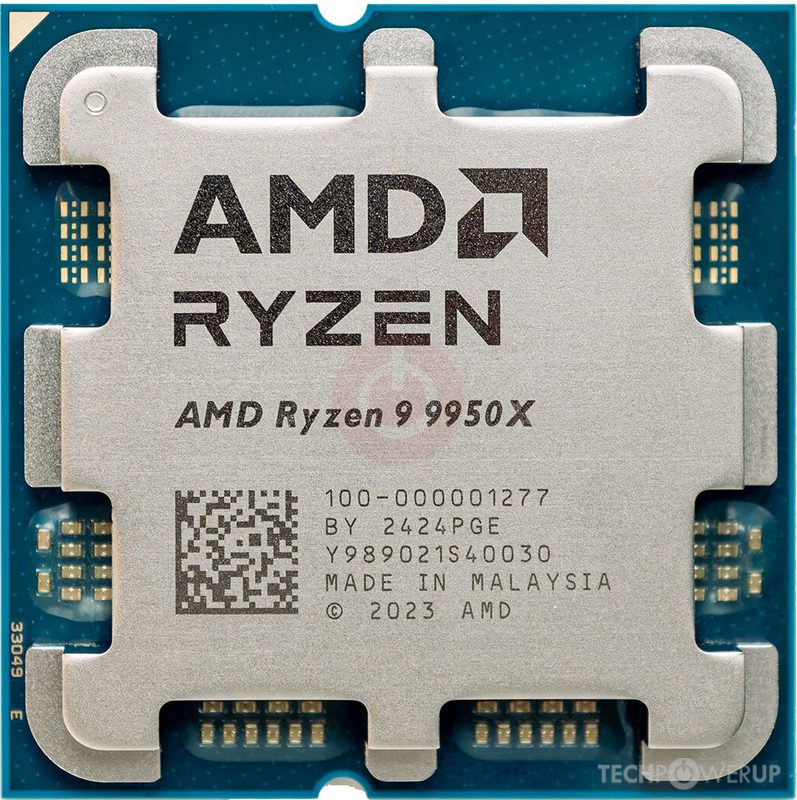
AMD Ryzen 9 9950X
16-core Zen 5 high-end chip on the AM5 platform, with usable integrated graphics.
16-core flagship non-3D. For heavy rendering, compiling, productivity. Gaming is strong but 9800X3D is faster for pure gaming.
Official India stock. Full warranty through the brand's India service network, standard RMA if anything goes wrong.
Full specs
Coolers for 200W+
AMD Ryzen 9 9950X in India - The Workstation CPU That Happens to Game Well
The Ryzen 9 9950X Is Not a Gaming CPU - It Is a Workstation That Games
Let me set expectations immediately: the Ryzen 9 9950X is not designed for people who only game. If all you do is play games, the Ryzen 7 9800X3D at ₹46,000 is 5-8% faster in gaming and costs ₹10,000 less. The 9950X exists for a different buyer entirely.
Sixteen cores, thirty-two threads, Zen 5 architecture, boost clocks up to 5.7 GHz. At ₹56,000 in India, the Ryzen 9 9950X is for creators, developers, and professionals who need a machine that renders 3D scenes in Blender, exports 4K timelines in DaVinci Resolve, compiles massive codebases, and then lets them game on the same machine at 95% of the best gaming CPU's performance.
I specifically built the T09 - ₹2.5L Creator/Gaming Build around this chip because it is the only CPU that handles both halves of the creator-gamer equation without compromise. You do not need two computers - you need the 9950X.
This article covers the real-world numbers for both creative work and gaming, the thermal challenges (which are real, especially in India), platform recommendations, and who should buy this versus the 9800X3D.
The Split Personality - Gaming vs Productivity
The 9950X's defining characteristic is that it is genuinely excellent at both gaming and productivity, just not the absolute best at either one. Here is how it stacks up against the gaming-focused 9800X3D:
The numbers are unambiguous. In gaming, the 9800X3D's 3D V-Cache gives it a consistent 5-8% lead over the 9950X at 1080p. At 1440p, the gap shrinks to 3-5%, and at 4K it is negligible (1-2%). If your workload is 100% gaming, the 9800X3D is the better choice.
In productivity, the 9950X annihilates the 9800X3D. Twice the cores means roughly twice the throughput in well-threaded workloads. Blender renders that take 10 minutes on the 9800X3D finish in 5.5 minutes on the 9950X. DaVinci Resolve exports are 40-50% faster. Handbrake encodes nearly halve their time. If you do any meaningful creative or development work, the 9950X's advantage is massive.
Creator Workload Performance - The Real Reason to Buy This CPU
Let me show you what the 9950X does in actual creator workflows, because this is where it earns its price tag:
The time savings are substantial and compound over a working day. If you render three Blender scenes daily, the 9950X saves you roughly 10 minutes per scene - that is 30 minutes a day, or over two hours a week. For professional creators and developers, time is money, and the 9950X earns back its price difference over the 9800X3D in weeks.
Cooling - This Is Where India Gets Challenging
At 170W TDP, the 9950X is a fundamentally different cooling challenge than the 120W 9800X3D. This chip runs hot, and in Indian conditions (35-40°C ambient for most of the year), inadequate cooling is not just uncomfortable - it leads to thermal throttling that erases your performance advantage.
Minimum: A quality 240mm AIO like the Arctic Liquid Freezer II 240 (₹8,000) or Deepcool LT520 (₹7,500). These keep the 9950X under 85°C during sustained all-core rendering at 35°C ambient, which is acceptable but not ideal.
Recommended: A 360mm AIO like the Arctic Liquid Freezer II 360 (₹10,000) or Deepcool LT720 (₹9,500). These provide 5-8°C lower temperatures, keeping the chip under 80°C even during prolonged rendering in Indian summer conditions. This is what I recommend for the 9950X.
Air cooling alternative: The Thermalright Peerless Assassin 120 SE or Deepcool AK620 can handle the 9950X, but they run loud at 170W in Indian ambient conditions. If noise matters to you (and it should in a creative workstation where you are wearing headphones for hours), go with a 360mm AIO.
Do not underestimate the 9950X's thermal requirements. At 170W in a 38-40°C room without AC, this chip WILL thermal throttle with inadequate cooling, negating the productivity advantage you paid for. Budget ₹8,000-10,000 for a quality 360mm AIO. This is not optional - it is part of the cost of running a 9950X in India. See our cooling guide for Indian conditions for detailed recommendations.
Platform and RAM - Creator Configuration
Motherboard: For a 16-core workstation chip, I recommend X670E boards. The 9950X's 170W draws meaningful power, and X670E boards consistently have the best VRMs. The ASUS ProArt X670E-Creator WiFi (₹30,000) is the creator-focused pick with Thunderbolt 4 and dual 2.5GbE. The Gigabyte X670E Aorus Master (₹28,000) is the enthusiast alternative. Budget-conscious builders can use the ASUS TUF X670E-Plus WiFi (~₹22,000), which handles 170W without issue.
RAM: For creator workloads, 64GB DDR5-6000 (2x32GB) is the recommendation. Blender scenes, DaVinci Resolve timelines, and Premiere Pro projects with multiple 4K streams all benefit from 64GB. The extra capacity eliminates memory pressure during complex renders and allows larger preview caches. EXPO-certified 2x32GB kits from G.Skill Trident Z5 or Kingston Fury Beast run ₹14,000-16,000.
For purely gaming use, 32GB (2x16GB) is sufficient. But if you are buying the 9950X, you are buying it for creator work, and 64GB is the right call.
Storage: NVMe Gen 4 or Gen 5 SSDs with at least 2TB. Creator workloads generate large project files, footage libraries, and render outputs. A 2TB primary drive plus a 1TB secondary for active projects is the minimum recommendation.
Who Should Buy the 9950X
Let me be specific about the target buyer, because this chip is not for everyone:
Video editors and colorists - DaVinci Resolve, Premiere Pro, and Final Cut users who work with 4K+ footage. The 16 cores dramatically speed up exports and timeline responsiveness.
3D artists and animators - Blender, Maya, and Cinema 4D users. CPU rendering time nearly halves compared to 8-core chips.
Software developers - Large codebase compilation (Linux kernel, Chromium, game engines) benefits enormously from 16 cores. Docker builds and CI/CD pipelines are noticeably faster.
Streamers who also edit - If you stream games and then edit the VODs for YouTube in DaVinci Resolve, the 9950X handles both workflows on one machine.
NOT for: Pure gamers (get the 9800X3D), budget builders (get the 7600), or anyone who does not regularly use multi-threaded applications.
Our T09 - ₹2.5L Creator/Gaming Build is designed around the 9950X with 64GB DDR5, a quality 360mm AIO, and an RTX 5070 Ti for both GPU-accelerated rendering and gaming.
Questions
Yes - it is within 5-8% of the 9800X3D at 1080p and within 3-5% at 1440p. At 4K, the difference is negligible. For a creator who also games, the 9950X provides excellent gaming performance. For a pure gamer, the 9800X3D is faster and ₹10K cheaper.
No. At 170W TDP, budget tower coolers will lead to thermal throttling, especially in Indian ambient conditions. A quality 240mm AIO is the minimum, and a 360mm AIO is recommended. Budget ₹8,000-10,000 for cooling. Our cooling guide has specific recommendations.
If you are buying the 9950X for creator work, get 64GB. Blender scenes, 4K video timelines, and large codebases benefit measurably from 64GB. If you are somehow buying the 9950X just for gaming, 32GB is fine - but then you should be buying the 9800X3D instead.
The 9950X matches or beats the i9-14900K in most multi-threaded workloads while drawing significantly less power (170W vs 253W). In gaming, the 9950X is roughly equal to the 14900K. The AM5 upgrade path and lower power draw make the 9950X the better choice. Plus, the 14900K has the known voltage stability issues affecting Intel 13th/14th gen high-end chips.
The RTX 5070 Ti at ₹72-82K is the sweet spot - 16GB VRAM handles 4K video editing and GPU-accelerated rendering in DaVinci Resolve, Blender, and Premiere Pro. The RTX 5080 at ₹1-1.1L is better for heavier GPU workloads but offers diminishing returns for most creators.
B650 technically works, but I recommend X670E for the 9950X. The 170W TDP benefits from X670E's generally better VRMs, and the extra PCIe Gen 5 lanes and I/O options are useful for workstation setups with multiple NVMe drives and high-speed peripherals.
Yes. If your video editing is occasional 1080p projects in Premiere Pro and your primary use is gaming, the 9800X3D handles both fine with its 8 cores. The 9950X is for professionals and serious hobbyists who do multi-threaded work daily. Do not spend ₹56K on a CPU plus ₹10K on adequate cooling if you render one video a month.