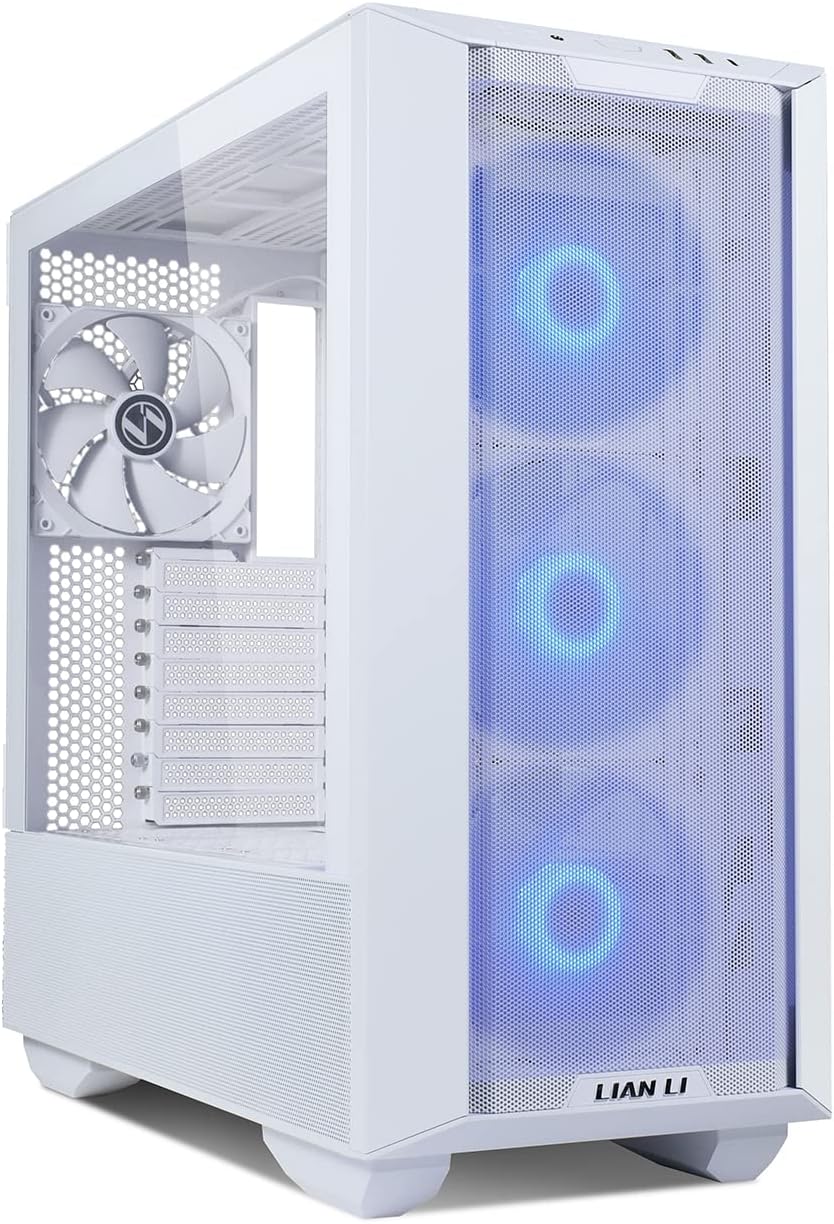
Lian Li Lancool III
Mid-tower case supporting up to 420mm GPUs and 187mm coolers. 3 fans included.
Full-size ATX with massive GPU clearance. Top-tier airflow. Tool-less design. Premium build quality.
Official India stock. Full warranty through the brand's India service network, standard RMA if anything goes wrong.
Full specs
GPUs that fit (≤420mm)
Air coolers that fit
Where to buy Lian Li Lancool III in India
Expect to pay roughly ₹11,500-12,700 for the Lian Li Lancool III in India right now, depending on offers and seller. I always recommend buying from retailers that give a proper GST invoice - it's what makes your India warranty claim smooth later.
Affiliate links on linked vendors - your price stays the same. PrimeABGB shown for comparison only.
In my years running a PC store, PrimeABGB (Mumbai) and Vedant Computers (Kolkata) have also been consistently reliable for verified stock - compare before buying.
Lian Li Lancool III India Review 2025 - The Flagship Mid-Tower Worth the Premium
Lian Li's Best Mid-Tower Is Worth Every Extra Rupee
There's a clear step-change between mid-range cases and premium cases, and the Lian Li Lancool III sits firmly on the premium side. At ₹11,000–15,000 in India, it costs ₹3,000–5,000 more than the Lancool 216 and competes with the be quiet! Dark Base 700. What you get for that premium isn't minor polish - it's a fundamentally different build experience.
What "Flagship" Actually Means Here
The dual-chamber design separates the PSU and cable management zone from the main component chamber. This accomplishes two things: cleaner aesthetics through the tempered glass panels, and a more organized build experience. Cables live behind the PSU shroud and secondary panel - the "show side" of the case stays clean.
Both side panels are tempered glass. The right-side glass panel (typically steel on budget cases) lets you see the back of the motherboard tray and cable routing. For builders who want a clean look from either side, this is the configuration that delivers it. The glass quality is thick and distortion-free - not the cheap glass-effect acrylic you find on ₹4,000 cases.
The PCIe 4.0 riser cable included in the box is a ₹2,000–3,000 value. Vertical GPU mounting transforms how a build looks - the graphics card faces outward through the glass. Most cases force you to buy a riser separately. Lian Li includes a quality one at PCIe 4.0 spec, meaning no bandwidth penalty for high-end GPUs.
Three included 140mm fans - two front intake, one rear exhaust - are Lian Li's own units, quieter and better balanced than the budget fans you get with cheaper cases. Thermals are strong; not quite Lancool 216 territory (the dual 160mm front fans give the 216 an airflow edge) but well within acceptable ranges for any build tier.
India Pricing and Availability
The Lancool III runs ₹11,000–15,000 in India. MDComputers is typically the most competitive on price and stocks both black and white variants. PrimeABGB and Vedant Computers also carry it. Amazon India availability exists but pricing fluctuates more than specialist PC retailers.
Lian Li's Indian retail presence has improved significantly - the brand is no longer a grey-market product here. Warranty is handled through authorized channels, though you'll want to confirm coverage terms at purchase since policies can vary.
Who Should Buy This
You're building a ₹1,00,000+ system - high-end CPU, RTX 4070 Ti or above, 32GB+ DDR5 - and want a case that matches the investment. You plan to vertical-mount the GPU for aesthetics. You want to see both sides of the build cleanly through glass. You're spending time on cable management and want a case that makes that effort visible. The Lancool III rewards builders who care about the complete package.
Who Should Skip This
Running a budget or mid-range build? The Lancool III's premium doesn't translate into better thermals than the Lancool 216 - actually the 216 runs cooler. If thermals are the only priority, save ₹3,000–5,000 and buy the Lancool 216. Also skip if you don't care about aesthetics - the dual glass panels and riser cable are purely presentational advantages.
Price we have actually seen
Down 0.0% since we started tracking. Every point is a price our crawler recorded at an Indian retailer - no estimates, no MSRP. Tracking began recently, so the window grows week by week.
Questions
Yes. PCIe 4.0 x16 bandwidth is sufficient for all current GPUs including the RTX 4090. No thermal or performance penalty from vertical mounting with this riser.
Yes - supports E-ATX up to 280mm wide. Standard ATX, Micro-ATX, and Mini-ITX all fit as well. If you're running an ASUS ROG Maximus or Gigabyte Z790 Aorus Xtreme (which run slightly wider than standard ATX), verify exact board dimensions before purchasing.
The dual glass restricts convection more than mesh side panels. In 38–40°C ambient, I'd recommend running all included fans at a custom curve rather than leaving them at silent defaults. With three 140mm fans on a standard fan curve, thermals are acceptable for i7/Ryzen 7 class builds. Add more fans via the available fan headers if you're running an i9 or Ryzen 9.