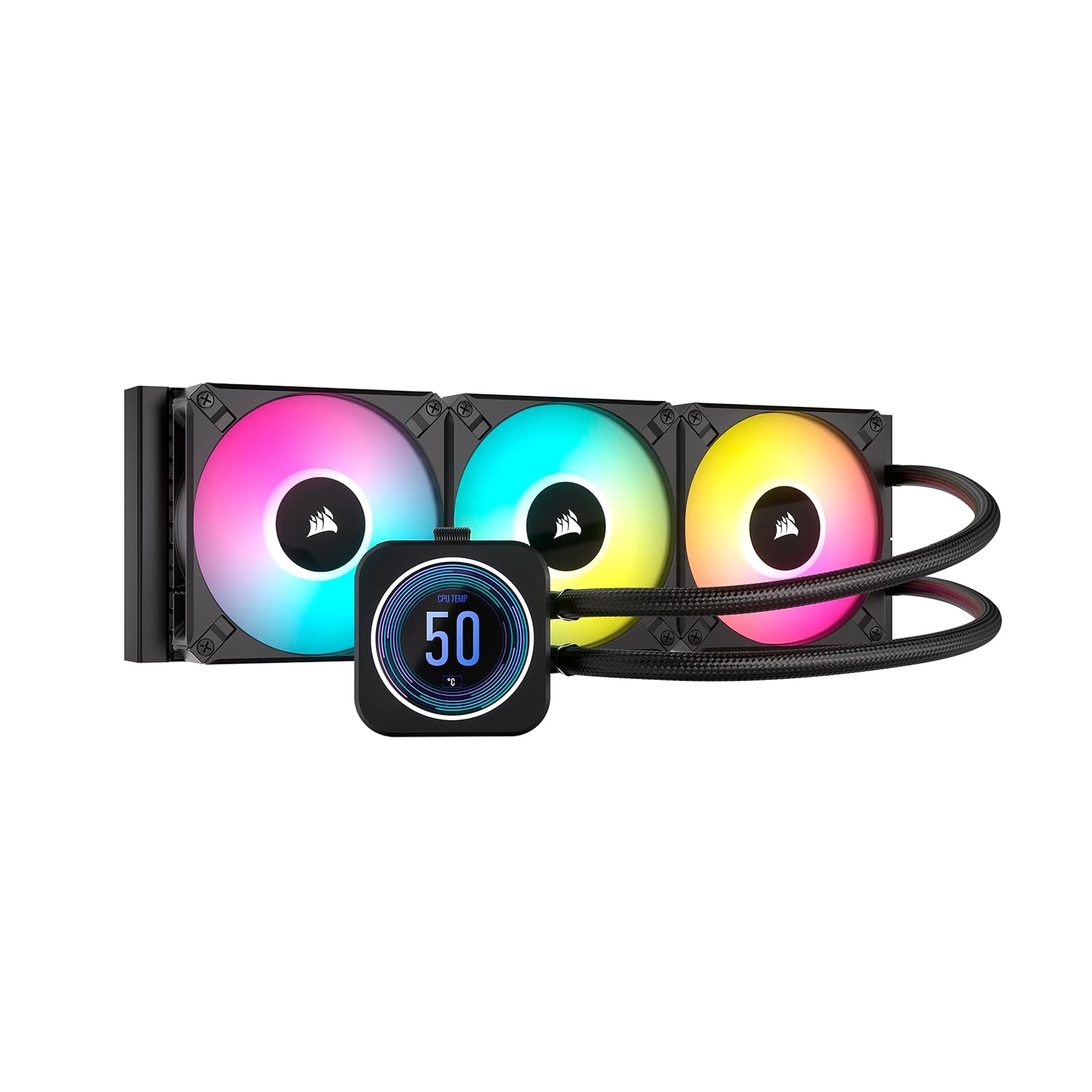
Corsair iCUE H150i Elite LCD XT 360mm
360mm AIO liquid cooler, rated for 350W TDP.
Premium 360mm AIO with LCD screen on pump head. For enthusiast builds. 5-year warranty.
Official India stock. Full warranty through the brand's India service network, standard RMA if anything goes wrong.
Full specs
CPUs this cooler can handle
Where to buy Corsair iCUE H150i Elite LCD XT 360mm in India
Expect to pay roughly ₹17,300-19,100 for the Corsair iCUE H150i Elite LCD XT 360mm in India right now, depending on offers and seller. I always recommend buying from retailers that give a proper GST invoice - it's what makes your India warranty claim smooth later.
Affiliate links on linked vendors - your price stays the same. PrimeABGB shown for comparison only.
In my years running a PC store, PrimeABGB (Mumbai) and Vedant Computers (Kolkata) have also been consistently reliable for verified stock - compare before buying.
Corsair iCUE H150i Elite LCD 360 India Review 2025 - Premium AIO With a Real Display
Corsair's Flagship 360mm AIO - The Display Is the Difference
The Corsair iCUE H150i Elite LCD 360 is not trying to be the best-value 360mm AIO on the market - the Arctic Liquid Freezer III already owns that position. What the H150i Elite LCD offers is the complete premium package: a 2.1-inch IPS LCD on the pump head showing real-time CPU data, tight iCUE software integration, three QL RGB fans, and a 5-year warranty. In India, at ₹18,000 (indicative) it targets builders who want the flagship experience and are already invested in the Corsair ecosystem.
The LCD - Genuine Feature, Not a Gimmick
I've tested a lot of pump-head "displays" on AIOs. Most are small, dim, and show low-resolution images that look worse in person than in marketing photos. The H150i Elite LCD's 2.1-inch IPS panel is the exception. Resolution and brightness are notably better than most competitors. You can display CPU temperature, fan speed, coolant temperature, and custom images or GIFs directly on the pump head.
In iCUE, the LCD configuration is genuinely flexible - cycle through multiple data points, set custom alert thresholds, or load custom artwork. For a builder who sits at their desk and glances at their system regularly, this provides at-a-glance monitoring without switching between windows. For someone who doesn't monitor thermals, it's a ₹4,000–6,000 cosmetic upgrade. Know which type of builder you are before buying.
The three QL RGB fans are Corsair's premium 120mm units - four distinct LED zones per fan, producing the smoothest RGB gradients available on any AIO at this size. If you're running a Corsair-heavy build with other iCUE components (RAM, keyboard, mouse), the ecosystem sync is seamless.
Thermal performance is strong. The H150i Elite LCD handles an i9-14900K at sustained boost without throttling - temperatures run 2–5°C warmer than the Arctic LF III 360 in controlled benchmarks, which is the cost of prioritizing aesthetics over pure thermal engineering. For gaming loads and typical content creation workloads, that delta is irrelevant.
India Pricing, Availability, and Warranty
The H150i Elite LCD runs ₹14,000–18,000 in India. MDComputers and Amazon India carry it - price varies significantly, so check both before buying. PrimeABGB occasionally stocks it at competitive prices.
The 5-year warranty is Corsair's global policy and is honored through Corsair India's service network. This is meaningfully longer than most AIOs (typically 3 years) and matters for a product with a pump as a potential failure point. Factor warranty into the price comparison - you're buying peace of mind alongside the display.
Corsair products in India are distributed through authorized channels, so warranty claims don't require international shipping. Keep your purchase invoice for warranty registration.
Who Should Buy This
You're building a flagship system - i9-14900K, i9-13900K, Ryzen 9 9950X, or Ryzen 9 7950X - and the case has a glass panel that puts the pump head on display. You're already using Corsair iCUE for other peripherals and want lighting sync. The 5-year warranty appeals given the premium CPU investment. You want at-a-glance monitoring without opening software. The H150i Elite LCD is for builders who've made peace with paying extra for the complete Corsair experience.
Who Should Skip This
Cooling a mid-range CPU (i5, Ryzen 5, i7 below 150W)? This is overkill - the iCUE H115i or DeepCool LS520 at ₹7,000–9,000 handles these chips perfectly. Prioritizing pure thermal performance? The Arctic LF III 360 costs ₹6,000 less and runs cooler. Not using iCUE for other peripherals? The ecosystem advantage disappears and the DeepCool LS720 at ₹12,000 delivers comparable visuals with better ARGB fan coverage at lower cost.
Price we have actually seen
No change while tracked. Every point is a price our crawler recorded at an Indian retailer - no estimates, no MSRP. Tracking began recently, so the window grows week by week.
Questions
Yes - iCUE is platform-agnostic. The LCD, fan control, and RGB work identically on AM5 and LGA1700 systems. AM5 mounting hardware is included in the box. LGA1851 support was added via a separate mounting kit available from Corsair's website.
The AIO loop itself is sealed and humidity doesn't affect it directly. The concern in coastal cities (Chennai, Mumbai, Kochi) is long-term component corrosion from salt air - this applies to all electronics, not specifically to this cooler. The radiator fins can accumulate salt deposits over years in high-humidity coastal environments; occasional compressed air cleaning helps.
Initial setup and configuration require iCUE. After configuration, the LCD retains its last settings and continues displaying data without iCUE running. If you want to change what's displayed, you'll need iCUE open. The software is Windows-only - Linux and macOS users cannot configure the display.