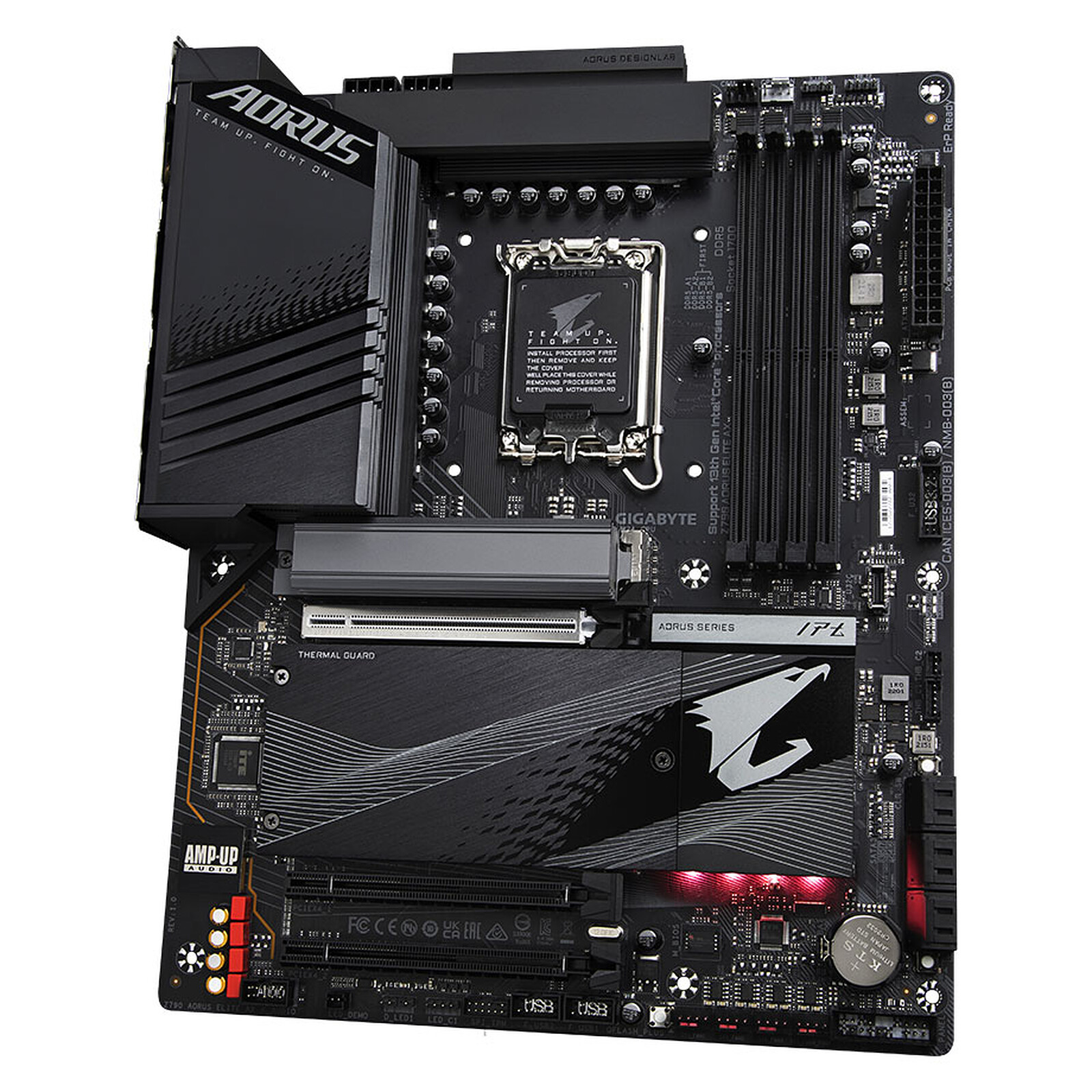
Gigabyte Z790 Aorus Elite AX DDR5
ATX Z790 board for LGA1700 CPUs, DDR5 memory, BIOS Flashback included.
Mid-range Z790 with Gen 5 M.2, WiFi 6E, 4 M.2 slots. Good for i5-13600K/14600K builds.
Official India stock. Full warranty through the brand's India service network, standard RMA if anything goes wrong.
Full specs
DDR5 memory kits
Where to buy Gigabyte Z790 Aorus Elite AX DDR5 in India
Expect to pay roughly ₹25,000-27,600 for the Gigabyte Z790 Aorus Elite AX DDR5 in India right now, depending on offers and seller. I always recommend buying from retailers that give a proper GST invoice - it's what makes your India warranty claim smooth later.
Affiliate links on linked vendors - your price stays the same. PrimeABGB shown for comparison only.
In my years running a PC store, PrimeABGB (Mumbai) and Vedant Computers (Kolkata) have also been consistently reliable for verified stock - compare before buying.
Gigabyte Z790 Aorus Elite AX DDR5 India - Intel's Premium AM4 Replacement at {{price}}
Gigabyte Z790 Aorus Elite AX DDR5: Premium Intel Platform for Serious Builders
The Gigabyte Z790 Aorus Elite AX DDR5 is a high-end LGA1700 ATX motherboard targeting i7-13700K and i9-13900K builds. At ₹26,000 in India, it offers Z790's overclocking capabilities, comprehensive PCIe 4.0 M.2 slots, WiFi 6E, and Gigabyte's Aorus-tier build quality. It is the right board when the CPU requires it - for i5 and budget i7 builds, B760 boards are better value.
When Z790 makes sense: If you are pairing with an i7-13700K (unlocked for overclocking), i9-13900K, or want the full Intel platform with no VRM limitations. Z790's unlocked multiplier allows CPU overclocking that B760 boards cannot provide.
When Z790 is overkill: i5-13600KF builds. The KF suffix means the CPU's overclocking potential is similar to the K, but neither unlocks without a Z-series board. Spending ₹26,000 on a board for an i5-13600KF build instead of using a B760 at ₹14,000-19,000 is poor value allocation.
Z790 vs B760 - The Real Differences
CPU overclocking: Unlock multiplier on K-suffix Intel CPUs. 10-15% performance gain possible on i7-13700K with proper cooling and tuning.
Memory overclocking: XMP 3.0 beyond spec DDR5 speeds - DDR5-7200+ with tuning. B760 limits this somewhat.
PCIe lanes: More PCIe 4.0 lanes from the chipset - supports more NVMe drives at full speed simultaneously.
VRM headroom: Z790 boards typically use stronger VRM designs for i9 CPUs that push 250W+.
Questions
Yes. All LGA1700 CPUs (12th and 13th gen) work in Z790 boards. 14th gen (Raptor Lake Refresh) is also compatible with a BIOS update - this board supports the i7-14700K and i9-14900K.
WiFi 6E adds the 6GHz band, which offers less congestion and higher throughput in environments with many WiFi devices. If you have a WiFi 6E router, the performance improvement is real. In most Indian home setups with a standard router, the difference is minimal today.
No. A B760 board at ₹14,000-21,000 provides the same gaming performance for the i5-13600KF. The i5-13600KF does not benefit from Z790's overclocking capabilities - the KF suffix means no iGPU but the multiplier behavior is the same as a K on a Z-board for gaming workloads. Spend the ₹5,000-12,000 saved on a better GPU or SSD.