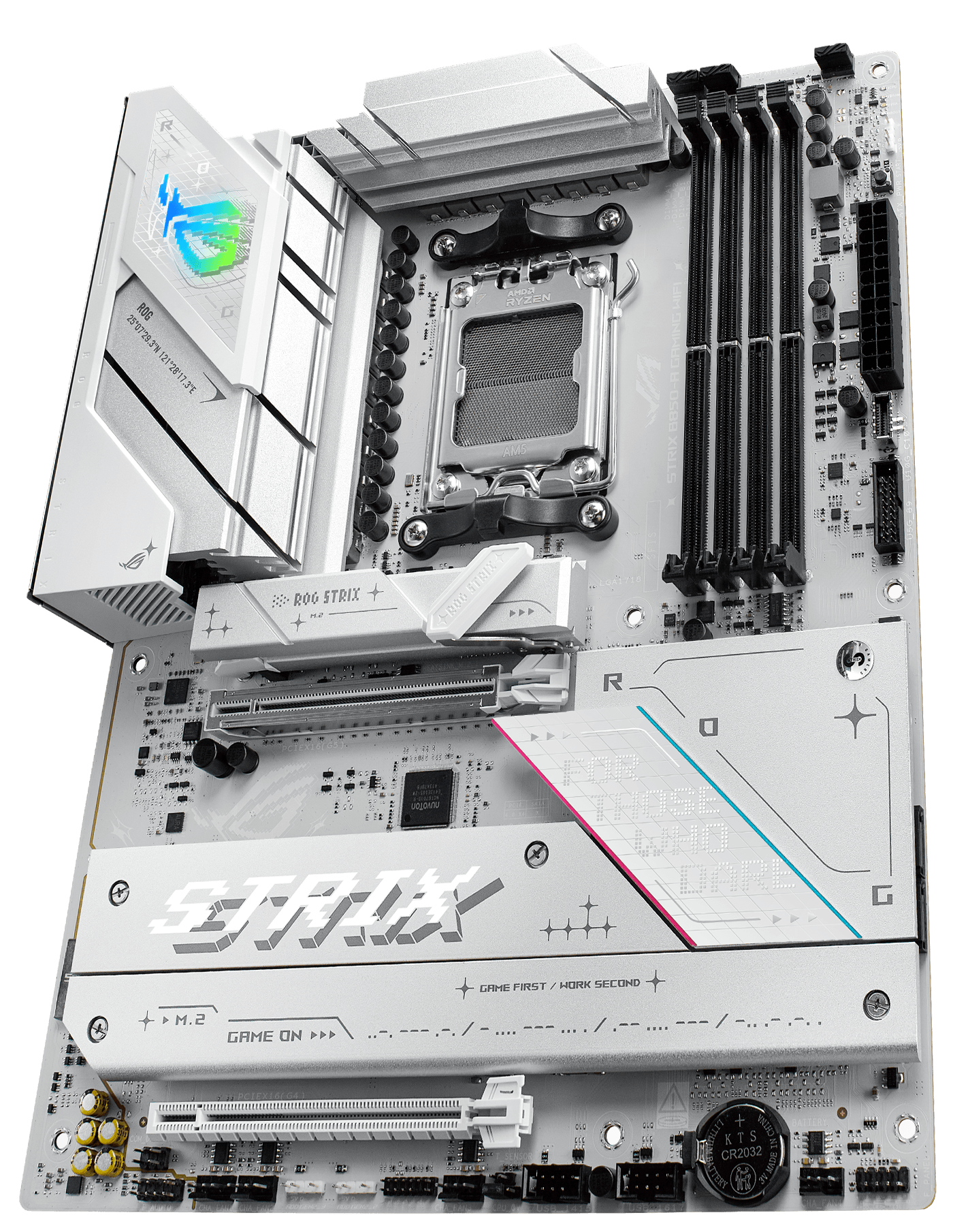
ASUS ROG Strix B850-A Gaming WiFi
ATX B850 board for AM5 CPUs, DDR5 memory, BIOS Flashback included.
ROG styling on B850. PCIe Gen 5 for GPU and M.2. WiFi 7. Pairs with Core Ultra 200 series.
Official India stock. Full warranty through the brand's India service network, standard RMA if anything goes wrong.
Full specs
Compatible CPUs
DDR5 memory kits
Where to buy ASUS ROG Strix B850-A Gaming WiFi in India
Expect to pay roughly ₹23,000-25,400 for the ASUS ROG Strix B850-A Gaming WiFi in India right now, depending on offers and seller. I always recommend buying from retailers that give a proper GST invoice - it's what makes your India warranty claim smooth later.
Affiliate links on linked vendors - your price stays the same. PrimeABGB shown for comparison only.
In my years running a PC store, PrimeABGB (Mumbai) and Vedant Computers (Kolkata) have also been consistently reliable for verified stock - compare before buying.
ASUS ROG Strix B850-A Gaming WiFi Review - Best Premium B850 AM5 Motherboard India 2025
ASUS ROG Strix B850-A Gaming WiFi - Premium B850 AM5 Done Right
When someone asks me what B850 board to recommend for a no-compromises Ryzen 9 build, the ROG Strix B850-A is my answer almost every time. It sits at the top of the B850 stack for a reason: ASUS has not cut corners on anything that matters.
What You Actually Get
The B850-A ships with an 18+2 power stage design. That is not marketing - it translates to stable delivery for every AM5 chip from the Ryzen 5 7600 all the way up to the Ryzen 9 9950X under sustained all-core load. You are not babysitting temperatures or worrying about throttling during long Blender renders.
The connectivity here is genuinely flagship-tier. WiFi 7 means you are not bottlenecked on wireless even with a 2.5Gbps connection. Thunderbolt 4 on a B850 board is unusual - most B850 boards skip it to cut costs. The B850-A keeps it, which matters if you are connecting high-speed external SSDs or a Thunderbolt dock.
Four M.2 slots, with the primary running at PCIe 5.0 x4. That means your Gen 5 SSD - a Crucial T705, Samsung 990 Pro successor, whatever you pick - runs at full speed. The remaining three slots are PCIe 4.0, which is fine for secondary storage.
The ROG Strix aesthetic is subjective but consistent: ARGB headers, ROG armor shroud, clean white and grey accents on the A variant. If you want RGB, the headers are plentiful. If you want to disable it, the BIOS and Armoury Crate both let you do that cleanly.
India Pricing
At MDComputers and PrimeABGB, the B850-A sits in the ₹28,000–32,000 range depending on stock cycles. Amazon India tends to run ₹30,000–35,000. Vedant Computers in Kolkata usually stocks it at competitive rates.
GST is included in all retail prices. Warranty is handled through ASUS India (Rashi Peripherals distribution) - 3-year coverage, and I have not seen major issues with their AM5 board warranty claims.
Who Should Buy This
You are buying this board if you are building around a Ryzen 9 9900X3D or 9950X and want the best B850 available without crossing into X870E territory. The 18+2 VRM handles every AM5 chip at stock and light overclocking without thermal concerns.
It also makes sense if you need Thunderbolt 4 connectivity - this is one of the few B850 boards that includes it natively.
Who should not buy this: If your CPU is a Ryzen 5 7600, Ryzen 7 9700X, or anything mid-range, a board at ₹15,000–20,000 handles those chips just as well. You are paying for VRM headroom and Thunderbolt 4 that a mid-range CPU will never use. Also skip this if you plan on extreme overclocking experiments - step up to the X870E Crosshair or ROG Strix X670E-E for that.
Versus X870E Boards
The main reason to choose B850-A over X870E: price. X870E boards in India start at ₹45,000 and go much higher. The B850-A gives you 90% of what most builders actually use from those boards at nearly half the price. The trade-off is fewer PCIe 5.0 lanes and no full X670E-class overclocking headroom - but for real-world gaming and productivity workloads, the B850-A is sufficient.
Price we have actually seen
Down 9.2% since we started tracking. Every point is a price our crawler recorded at an Indian retailer - no estimates, no MSRP. Tracking began recently, so the window grows week by week.
Questions
New stock from Indian retailers ships with BIOS that supports 9000-series chips. Older stock may need a BIOS update using the FlashBack button - no CPU required for that process.
If your router supports WiFi 7, you will see better multi-link operation and lower latency. If your router is WiFi 6 or older, you will not see any difference. The B850-A's WiFi 7 is future-proofing.
Both are strong boards. The B850-A has Thunderbolt 4, which the Tomahawk lacks. The Tomahawk has a slightly better price-to-VRM ratio in some configurations. If Thunderbolt 4 matters, pick the B850-A. If it does not, the Tomahawk saves you a few thousand rupees.