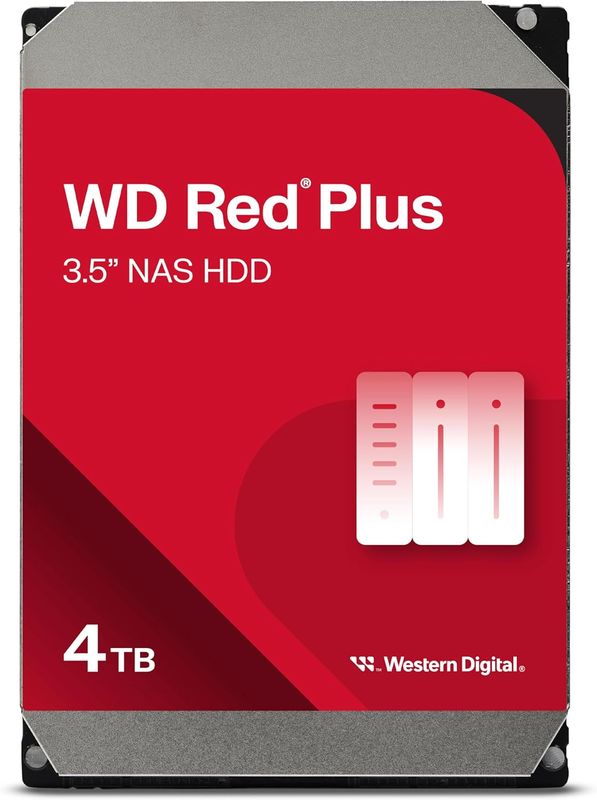
WD Red Plus 4TB NAS HDD
4TB hard drive (HDD), 215 MB/s sequential. Good for bulk storage, not as your only drive.
NAS-grade drive for 24/7 storage. Quieter and more reliable than Barracuda. Use for Plex servers, photo archives, etc.
Official India stock. Full warranty through the brand's India service network, standard RMA if anything goes wrong.
Full specs
Motherboards with M.2 slots
Where to buy WD Red Plus 4TB NAS HDD in India
Expect to pay roughly ₹12,500-13,800 for the WD Red Plus 4TB NAS HDD in India right now, depending on offers and seller. I always recommend buying from retailers that give a proper GST invoice - it's what makes your India warranty claim smooth later.
Affiliate links on linked vendors - your price stays the same. PrimeABGB shown for comparison only.
In my years running a PC store, PrimeABGB (Mumbai) and Vedant Computers (Kolkata) have also been consistently reliable for verified stock - compare before buying.
WD Red Plus 4TB NAS HDD India Review 2025 - The Right Drive for Synology and QNAP NAS Builds
Building a NAS in India? The WD Red Plus 4TB Is the Drive You Should Use
If you are building a NAS in India - whether a Synology DS223, a QNAP TS-233, or any multi-bay enclosure - the WD Red Plus 4TB is likely the drive you should put in it. Here is why, and what the CMR vs SMR distinction means for your build.
CMR vs SMR: The Most Important NAS Spec No One Talks About
Most buyers shopping for NAS drives focus on capacity and brand. The more critical specification is the recording technology: CMR (Conventional Magnetic Recording) versus SMR (Shingled Magnetic Recording).
CMR writes each magnetic track with space between tracks. Writing new data is straightforward - the drive writes to the target track without affecting adjacent tracks. Read and write performance is consistent under mixed workloads.
SMR overlaps tracks like roof shingles - newer tracks partially cover older ones. This increases data density per platter but creates a write penalty. When the drive needs to update data in an SMR zone, it must read the surrounding tracks, rewrite everything to a buffer, then write the entire band back. Under sustained concurrent read/write operations - exactly what a NAS does - SMR drives exhibit severe write slowdowns, sometimes dropping to 5–10 MB/s for extended periods.
A NAS running backup jobs, media streaming to multiple devices, and file sync simultaneously is exactly the workload that exposes SMR's weakness. The WD Red (without "Plus") uses SMR in many capacities. The WD Red Plus uses CMR. This is not a subtle difference - it affects whether your NAS performs acceptably or frustratingly.
Recording Technology:  CMR (Conventional Magnetic Recording)
RPM:                   5400
Sequential Read:       ~180 MB/s
Cache:                 128MB
Interface:             SATA III
Workload Rating:       180 TB/year
Rated for 24/7 NAS:    Yes
Warranty:              3 years
NAS-Specific Design Features
The WD Red Plus 4TB is rated for 24/7 continuous operation and a 180 TB/year workload. Desktop drives like the Barracuda are rated for 8-hour-per-day workloads at 55 TB/year. Running a desktop HDD in a NAS 24/7 will exhaust its rated workload in months and likely shorten its operational life.
Additional NAS-specific features in the Red Plus:
- Vibration compensation (RAFF) - Multi-bay NAS enclosures have multiple spinning drives creating vibration. RAFF (Rotational Acceleration Feed Forward) sensing compensates for this vibration, which desktop drives do not handle as effectively.
- NASware 3.0 firmware - Optimized for concurrent read/write operations and network file transfer patterns typical of NAS workloads.
- Error recovery control (TLER) - NAS RAID controllers expect drives to respond within a timeout period. Desktop drives without TLER can cause RAID arrays to drop the drive during error recovery. The Red Plus has TLER configured for RAID compatibility.
These are not marketing specs - they are engineering differences that matter for NAS reliability over multi-year operation.
India NAS Use Cases
Indian NAS builders typically fall into a few categories:
Home media servers - Plex or Jellyfin running on a Synology or QNAP, serving movies and TV to family members across the home network. 4TB is enough for a substantial local library. The Red Plus handles concurrent streaming to multiple clients without the write performance degradation that SMR drives would exhibit.
Small office backup - A 2-bay NAS in RAID 1 (mirrored) configuration gives a simple backup destination for a small team. Two WD Red Plus 4TB drives in RAID 1 provide 4TB of usable protected storage.
Home backup server - Time Machine backup for Macs, Windows File History, and manual backup destinations. A NAS is a much better backup destination than a single USB drive.
Surveillance - Some users run IP camera recording to NAS. Continuous write workloads for video recording are exactly where CMR matters - SMR drives can struggle with constant write streams.
WD Red Plus vs Seagate IronWolf 4TB in India
The Seagate IronWolf 4TB is the main alternative at similar pricing (₹8,000–12,000). Both are CMR NAS drives with comparable specifications. The IronWolf includes Seagate's IronWolf Health Management (IHM) for NAS health monitoring through compatible enclosures. WD Red Plus includes NASware 3.0. Both carry 3-year warranties in India.
For compatibility with Synology and QNAP: both brands are on the compatibility lists for major NAS enclosures. Check the specific compatibility list for your enclosure model before purchasing - both WD and Seagate maintain updated compatibility databases.
Either is a valid choice. Check pricing across MDComputers, PrimeABGB, Vedant Computers, Amazon India, and Flipkart at time of purchase.
WD Red vs WD Red Plus - Do Not Mix Them Up
This deserves emphasis. The WD Red (without "Plus") and the WD Red Plus look nearly identical in product listings. The Red uses SMR in some capacities; the Red Plus uses CMR. Always look for "Red Plus" specifically, not just "Red." In product listings, look for the CMR designation or "WD40EFPX" model number (the common 4TB Red Plus model).
Who Should Buy This
Buy the WD Red Plus 4TB if you are building a NAS with a Synology, QNAP, or compatible enclosure and need a reliable, 24/7-rated CMR drive. It is the standard recommendation for home and SOHO NAS builds in India for good reason.
Do not buy this for a gaming PC. It will function as a desktop secondary drive, but you are paying for NAS-specific engineering that provides no benefit outside a NAS enclosure. Use a Seagate Barracuda 4TB for desktop secondary storage instead.
Price we have actually seen
Down 0.0% since we started tracking. Every point is a price our crawler recorded at an Indian retailer - no estimates, no MSRP. Tracking began recently, so the window grows week by week.
Questions
WD Red Plus. Always. The Red Plus uses CMR, which handles sustained concurrent NAS workloads correctly. Some WD Red models use SMR, which causes severe write slowdowns under sustained NAS load.
Yes. Check the specific compatibility list on the Synology or QNAP website for your exact enclosure model. WD Red Plus drives are widely listed as compatible.
Three years, through WD India authorized service partners. Keep your purchase invoice for warranty claims.
Technically yes, but it is over-engineered and over-priced for desktop secondary storage. Use a desktop-rated drive instead and reserve the Red Plus for NAS use.