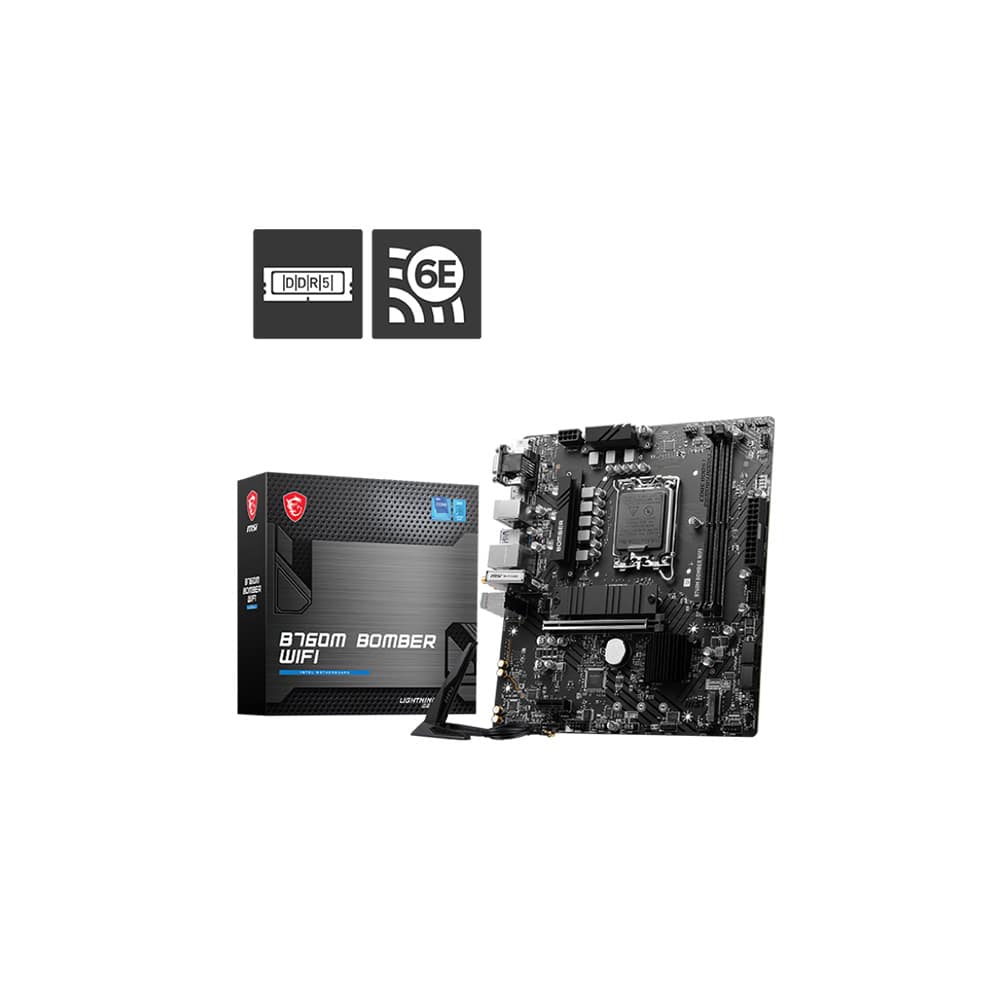
MSI B760M Bomber WiFi DDR5
mATX B760 board for LGA1700 CPUs, DDR5 memory, no BIOS Flashback - watch for BIOS update needs.
Budget DDR5 B760 board with WiFi 6E, dual Gen4 M.2 and two DIMM slots. Best kept to locked Core i3/i5-class builds; use a stronger board for prolonged i7/i9 all-core loads.
Official India stock. Full warranty through the brand's India service network, standard RMA if anything goes wrong.
Full specs
DDR5 memory kits
Where to buy MSI B760M Bomber WiFi DDR5 in India
Indicative catalogue range: ₹11,000-12,200 for the MSI B760M Bomber WiFi DDR5. This is not a verified current retailer price. Confirm price and availability with the seller and buy with a proper GST invoice for warranty claims.
Affiliate links on linked vendors - your price stays the same. PrimeABGB shown for comparison only.
In my years running a PC store, PrimeABGB (Mumbai) and Vedant Computers (Kolkata) have also been consistently reliable for verified stock - compare before buying.
MSI B760M Bomber WiFi DDR5 Review: Compact Intel With Two SSD Slots
Two DDR5 sticks and two SSDs fit the plan. An old SATA M.2 drive changes one port.
A compact wireless Intel build with a planned two-stick kit.
Two Gen4 x4 M.2 sockets, WiFi 6E and 2.5GbE.
SATA M.2 in M2_2 disables SATA7; no front Type-C header is listed.
Specification-based buying assessment, not a hands-on performance test.
A straightforward DDR5 Intel shortlist
The DDR5 B760M Bomber WiFi suits a compact LGA1700 desktop where two memory sticks, a graphics card and up to two onboard SSDs cover the plan. Integrated wireless is useful when the desk has no ethernet run. It should be compared as a complete platform basket, not treated as the automatic best board because it has a gaming label.
For someone who already owns DDR4, the separate DDR4 Bomber may keep the replacement cost down. For someone buying memory from scratch, there is little reason to choose between the two without pricing both compatible kits alongside the motherboard.
Exact model, not a DDR4 substitution
The MSI India specification for B760M Bomber WiFi identifies the unsuffixed model as DDR5. It has two DIMM sockets, two Gen4 x4 M.2 connectors, four SATA ports, WiFi 6E, Bluetooth 5.3 and 2.5GbE. M2_2 also accepts SATA M.2 drives, but using that mode disables SATA7.
It supports LGA1700 Core 12th/13th/14th-generation CPUs with the appropriate BIOS. This is not a Core Ultra platform and its DDR5 slots cannot accept a DDR4 kit. B760 memory overclocking does not imply CPU-multiplier overclocking.
| Feature | What to plan for |
|---|---|
| Platform | LGA1700 / B760 · micro-ATX |
| Memory | Two DDR5 sockets · not the DDR4 Bomber |
| First SSD | M2_1: CPU-connected · up to Gen4 x4 |
| Second SSD | M2_2: chipset-connected · Gen4 x4 or SATA |
| SATA condition | Four ports · SATA7 unavailable with SATA M.2 in M2_2 |
| Case / network | No listed front USB-C header · WiFi 6E · 2.5GbE |
Interface ratings are not measured results. Exact-model specification →
Memory advice for a two-DIMM board
Choose the initial capacity carefully. Two sockets are convenient for a matched pair, but there is no spare second pair of sockets for a cheap later addition. If the machine will handle large projects or virtual machines, consider the memory capacity needed over its useful life before ordering a small starter kit.
The quoted maximum OC speed is not a promise for all memory ranks, capacities and processors. Check the exact kit against MSI's support list; stability is more useful than an ambitious profile that needs continual troubleshooting. Test at default settings first, then enable XMP and recheck.

M.2 describes the shape. Check the drive interface.
An NVMe drive in M2_2 uses its PCIe link; the documented SATA7 restriction applies when that socket runs a SATA M.2 drive.
Read the old drive’s model label before moving it. A SATA M.2 SSD is not an NVMe SSD, even though both use an M.2 connector.
The CPU-connected M2_1 is another Gen4 x4 storage socket. Check the manual when assigning the boot and secondary drives.
SSD and case considerations
Two onboard NVMe drives provide a clean boot-plus-library arrangement. Keep the SATA-M.2 sharing condition in mind if you are moving an older SATA M.2 drive from another PC. “M.2” describes a physical format, not a guarantee that the old drive is NVMe.
The board's listed USB connections do not include a front Type-C header. A case with a Type-C socket therefore needs particular attention: either choose a board offering the header or accept that the socket may remain unused. Also check access to lower connectors under the intended GPU.
MSI’s unsuffixed Bomber is DDR5; match the invoice and RAM kit.
Identify SATA versus NVMe before wiring the SATA drives.
Choose a model with a matching header if case USB-C is required.
Verdict and purchase checklist
Shortlist it when the two-DIMM and two-SSD limits match the build and integrated wireless saves a separate adapter. Choose a Gaming Plus or another four-DIMM board for different expansion needs, not on an untested thermal ranking. Confirm the exact DDR5 SKU, CPU BIOS requirement, accessories and warranty on the seller's invoice. No new live-price quote or hands-on performance measurement is claimed in this assessment.
Price we have actually seen
Hover or tap the chart for a recorded price. Use ← → when focused.
View all recorded prices
| Date | Price |
|---|---|
| ₹11,641 | |
| ₹11,641 | |
| ₹11,641 | |
| ₹11,841 | |
| ₹8,879 | |
| ₹11,679 | |
| ₹11,679 | |
| ₹11,679 | |
| ₹11,819 | |
| ₹11,819 | |
| ₹11,819 | |
| ₹11,819 | |
| ₹11,819 | |
| ₹11,819 | |
| ₹11,819 | |
| ₹11,819 | |
| ₹11,819 | |
| ₹11,819 | |
| ₹11,819 | |
| ₹11,819 | |
| ₹11,819 | |
| ₹11,819 | |
| ₹11,819 | |
| ₹11,819 | |
| ₹11,179 | |
| ₹11,179 | |
| ₹11,179 | |
| ₹11,179 | |
| ₹11,179 | |
| ₹11,179 |
Down 4.0% since we started tracking. Every point is a price our crawler recorded at an Indian retailer - no estimates, no MSRP. Tracking began recently, so the window grows week by week.