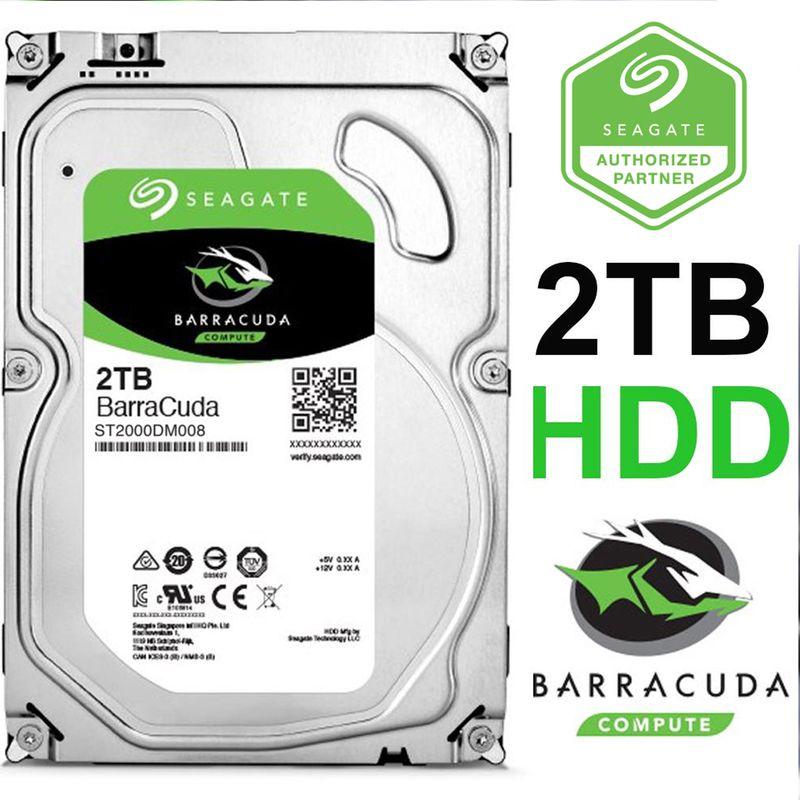
Seagate Barracuda 2TB HDD
2TB hard drive (HDD), 220 MB/s sequential. Good for bulk storage, not as your only drive.
Spinning rust for mass storage. Movies, backups, archive games. Not your boot drive. Loud during seeks.
Official India stock. Full warranty through the brand's India service network, standard RMA if anything goes wrong.
Full specs
Motherboards with M.2 slots
Where to buy Seagate Barracuda 2TB HDD in India
Expect to pay roughly ₹10,800-12,000 for the Seagate Barracuda 2TB HDD in India right now, depending on offers and seller. I always recommend buying from retailers that give a proper GST invoice - it's what makes your India warranty claim smooth later.
Affiliate links on linked vendors - your price stays the same. PrimeABGB shown for comparison only.
In my years running a PC store, PrimeABGB (Mumbai) and Vedant Computers (Kolkata) have also been consistently reliable for verified stock - compare before buying.
Seagate Barracuda 2TB HDD India Review 2025 - India's Most Popular Bulk Storage HDD
India's Most Popular HDD Capacity - The Barracuda 2TB as a Secondary Drive
The 2TB capacity has been the sweet spot in Indian HDD sales for years. At ₹4,000–6,000, the Seagate Barracuda 2TB offers enough storage for most secondary-drive use cases without the premium of 4TB. The price per gigabyte is among the best you will find on any storage medium in India right now.
But before I get into the specifics, let me be direct: if you are considering this as your only drive in a new build, stop and look at a budget NVMe SSD instead. The Barracuda 2TB is a secondary drive. Its value proposition collapses the moment you try to run Windows or games off it.
Performance Numbers
The Barracuda 2TB spins at 7200 RPM with a 256MB cache. Sequential read/write tops out around 200 MB/s - slightly higher than the 1TB model due to higher data density on the same platters. For moving large files - copying a folder of RAW photos, transferring a video project from one location to another - this is workable.
The random access story is the same as every HDD. Around 80–100 IOPS against the 30,000–100,000 IOPS of a SATA or NVMe SSD. Game load times on this drive will be 3–5x slower than on any SSD. Windows boot from an HDD takes 45–90 seconds versus 8–12 seconds on an NVMe. Those differences are not subtle.
Sequential Read:   ~200 MB/s
Sequential Write:  ~200 MB/s
Random Read IOPS:  ~80-100
Cache:             256MB
Interface:         SATA III
RPM:               7200
The Right Use Cases for 2TB at This Price
The Barracuda 2TB earns its place in a build as a secondary drive paired with an SSD. Here is what it handles well:
- Media library - 2TB holds 400–600 full HD movies, 200,000+ photos, or a substantial music collection. For anyone building a home media server or keeping a local library, this makes sense.
- Download folder - Games you have installed but are not actively playing, large software installers, ISOs. Park them here.
- Video project archives - Video editors: 2TB is enough for several completed project archives. Your active project and exports should go on your SSD; finished work moves to the Barracuda.
- Time Machine / Windows Backup destination - Running automated backups to a secondary HDD is one of the most sensible uses for this drive.
Barracuda 2TB vs WD Blue 2TB India
The WD Blue 2TB is priced similarly - sometimes ₹200–500 different depending on the retailer and current stock. Performance is essentially identical. Both use 7200 RPM (some WD Blue variants are 5400 RPM - check the spec sheet when buying). Both carry similar warranty terms.
My practical advice: check MDComputers, Amazon India, and Flipkart at the time of purchase. Whichever is cheaper and in stock is the right call. Do not overthink this choice - the drives are functionally interchangeable for secondary storage.
India Power and Climate Considerations
The same warnings from the 1TB article apply here. Power cuts cause more damage to HDDs than SSDs. The 2TB Barracuda has 7200 RPM platters spinning at high speed - a sudden power loss mid-write can cause the head to contact the platter, potentially damaging data or the drive permanently.
If your area sees load shedding, a basic UPS (650VA costs ₹2,000–3,500) gives you enough buffer to shut down cleanly. This applies to anyone in tier-2 or tier-3 cities especially - metro areas with more stable grids have less risk, but it is still worth considering.
Humidity during monsoon season is less of an issue inside a running desktop (drives run warm), but for drives stored externally or in poorly ventilated spaces, keep humidity in check.
Warranty and Buying Advice
Seagate India covers the Barracuda 2TB with a 2-year warranty. Keep your invoice. Warranty service goes through Seagate's authorized centers - major metros are straightforward, but tier-2/3 city users may need to ship the drive. Check the Seagate India website for the nearest service center before purchasing.
Available at MDComputers, PrimeABGB, Vedant Computers, Amazon India, and Flipkart. Stock is consistent for this capacity - it is the most popular HDD in India right now.
Who Should Buy This
Buy the Barracuda 2TB if you have an SSD as your primary drive and need cheap secondary storage for media, backups, or large file archives. At ₹4,000–6,000 it is excellent value for the capacity.
Skip it if this would be your only drive. Get a budget NVMe instead - you will thank yourself every time you boot into Windows in under 10 seconds.
Price we have actually seen
Up 15.3% since we started tracking. Every point is a price our crawler recorded at an Indian retailer - no estimates, no MSRP. Tracking began recently, so the window grows week by week.
Questions
As an archive drive, yes. Keep your active project on an SSD and render to the SSD. Use the Barracuda for storing finished footage and completed project files.
Both are comparable in speed and reliability. Buy whichever is cheaper and in stock at your retailer of choice. Both carry similar 2-year warranty terms in India.
If your area has power cuts, yes. HDDs are more vulnerable to sudden power loss than SSDs. A basic UPS pays for itself by protecting your data.
Technically yes for a single-bay, light-duty setup. For a proper NAS with multiple drives and concurrent read/write workloads, use a NAS-rated drive like the WD Red Plus instead.