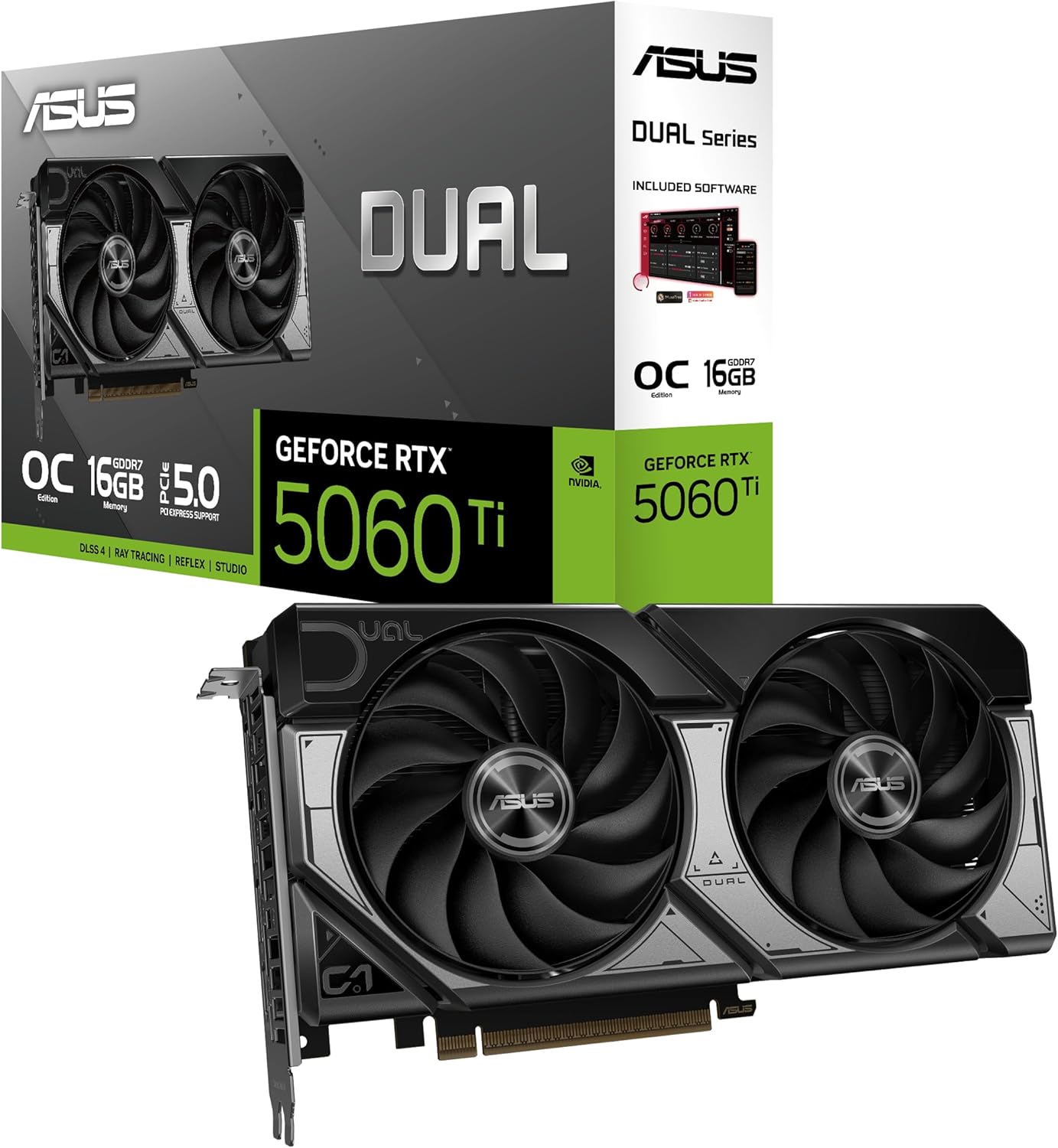
NVIDIA GeForce RTX 5060 Ti 16GB
16GB 1440p-grade graphics card, 180W draw, 280mm long, DLSS 4.
16GB Blackwell mid-range GPU. Best 1080p to 1440p value in 2026. DLSS 4 Multi Frame Generation. India warranty via ASUS, MSI, Gigabyte AIBs.
Official India stock. Full warranty through the brand's India service network, standard RMA if anything goes wrong.
Full specs
PSUs rated 600W+
Cases that fit 280mm
Where to buy NVIDIA GeForce RTX 5060 Ti 16GB in India
Expect to pay roughly ₹62,400-68,900 for the NVIDIA GeForce RTX 5060 Ti 16GB in India right now, depending on offers and seller. I always recommend buying from retailers that give a proper GST invoice - it's what makes your India warranty claim smooth later.
Affiliate links on linked vendors - your price stays the same. PrimeABGB shown for comparison only.
In my years running a PC store, PrimeABGB (Mumbai) and Vedant Computers (Kolkata) have also been consistently reliable for verified stock - compare before buying.
Available cards in India
Same chip, same FPS - what changes between these cards is the cooler, the length, the power connector, and the price. Pick by what fits your cabinet and budget.
Nvidia RTX 5060 Ti in India - Price, Performance, and the 16GB VRAM Advantage
The RTX 5060 Ti Is the Middle Child Nobody Expected to Love
Every GPU lineup has an awkward middle card. Something that sits between the obvious budget pick and the obvious performance pick, priced just high enough to make you wonder if you should just save or stretch. The Nvidia GeForce RTX 5060 Ti was supposed to be that card.
At ₹42,000-48,000 in India, it's sandwiched between the ₹30K-36K RTX 5060 and the ₹58K+ RTX 5070. On paper, that's an uncomfortable spot. In practice? The RTX 5060 Ti has one thing that changes the entire equation: 16GB of GDDR7. That doubles the VRAM of the RTX 5060 and gives you genuine 1440p confidence that the cheaper card simply cannot match.
I've been recommending GPUs to Indian builders for years, and the RTX 5060 Ti is the card I keep suggesting to the person who says: "I want to game at 1440p but I can't spend ₹58K on a GPU." If that's you, this article covers everything - real performance numbers, India pricing, CPU pairings, build templates, and whether that 16GB VRAM is actually worth the ₹12-15K premium over the RTX 5060.
Performance - What the RTX 5060 Ti Actually Delivers
Let me cut straight to the frame rates, because that's what determines whether this card deserves your money.
At 1080p Ultra (no DLSS), the RTX 5060 Ti averages 120-144 FPS across demanding titles - Cyberpunk 2077, Alan Wake 2, Black Myth Wukong, Star Wars Outlaws. That's not just "playable." That's locked to your 144Hz panel, maxed out, no compromises.
At 1440p High-Ultra, you're looking at 80-110 FPS natively depending on the title. Enable DLSS 4 with Multi Frame Generation and those numbers push comfortably past 144 FPS perceived. This is a legitimate 1440p GPU - something the RTX 5060 struggles to claim with only 8GB.
Here's how it stacks up against its closest competition:
The numbers tell a clear story. The RTX 5060 Ti is 25-30% faster than the RTX 5060 and 30-35% faster than the last-gen RTX 4060 Ti. Against the RTX 5070, it's 20-25% slower - a meaningful gap, but not as dramatic as the price difference suggests.
DLSS 4 with Multi Frame Generation is the force multiplier. At 1440p, native 88 FPS becomes a perceived 140+ FPS with MFG generating up to three additional frames per render. That pushes you into high-refresh territory on a 165Hz panel without cranking settings down. The RTX 5060 gets MFG too, but its 8GB VRAM becomes the bottleneck before the shader performance does - more on that below.
RTX 5060 Ti Price in India - What You'll Actually Pay
The RTX 5060 Ti launched in India at a price range that makes it competitive but not cheap. Here's the landscape as of May 2026:
Nvidia Founders Edition: ₹40,000 (extremely limited - sells out within minutes on RPTech. Consider it a lottery ticket, not a buying plan.)
AIB Partner Pricing:
| Model | Price (May 2026) | Notes |
|---|---|---|
| Zotac Twin Edge 16GB | ₹42,000 | Best budget option. Dual-fan, compact. |
| Gigabyte Gaming OC 16GB | ₹43,500 | Good cooling, slightly larger. |
| MSI Ventus 2X 16GB | ₹44,000 | Reliable, quiet under load. |
| ASUS Dual OC 16GB | ₹45,000 | Premium build, runs cool. |
| MSI Gaming X 16GB | ₹46,500 | Better cooler, RGB. |
| ASUS TUF Gaming 16GB | ₹47,000 | Best thermals at this tier. |
| ASUS ROG Strix 16GB | ₹48,500 | Overkill cooler, premium tax. |
For context, the RTX 4060 Ti currently sells at ₹65,000 (indicative) in India - so you're paying roughly ₹6,000-10,000 more for a 30-35% performance jump and double the VRAM. That's genuinely good value for a generational upgrade.
The best deals right now are the Zotac Twin Edge at ₹42,000 and the MSI Ventus at ₹44,000. Unless you specifically need the enhanced cooling of the ASUS TUF (and for a 180W card, you usually don't), there's no reason to spend ₹47K+ on a premium AIB. Check our parallel import guide for retailer-specific pricing - MDComputers and PrimeABGB typically have the best GPU stock.
If you spot any RTX 5060 Ti AIB model under ₹43,000 from a reputable Indian retailer, that's a good deal. Pull the trigger. Festival sales in October could push budget AIBs to ₹39-41K, but if you're building now, don't wait five months for a ₹3K saving.
16GB VRAM - The Real Reason to Buy This Over the RTX 5060
This is the section that matters most. The RTX 5060 Ti's 16GB GDDR7 is not a marketing number - it's the functional reason this card exists.
The RTX 5060 ships with 8GB. At 1080p, that's fine. At 1440p, modern AAA titles regularly push 9-12GB VRAM usage at Ultra textures. When you exceed the available VRAM, the GPU starts swapping textures in and out of system RAM. The result: stuttering, texture pop-in, and frame time spikes that destroy the experience even if your average FPS looks acceptable.
The RTX 5060 Ti's 16GB gives you comfortable headroom at 1440p with room to spare. Games like Alan Wake 2, Star Wars Outlaws, and The Last of Us Part II at max textures sit at 10-12GB VRAM at 1440p. The 5060 handles those by dropping texture quality or stuttering. The 5060 Ti handles them without breaking a sweat.
Is 16GB worth ₹12-15K more than the 5060's 8GB?
Here's my framework:
- If you game exclusively at 1080p: No. Save the money and buy the RTX 5060. 8GB is adequate at 1080p for the foreseeable future.
- If you game at 1440p or plan to upgrade your monitor: Yes. The 16GB alone justifies the premium. You'll avoid the VRAM wall that will increasingly frustrate 8GB card owners over the next 2-3 years.
- If you also do video editing or 3D work: Absolutely yes. DaVinci Resolve, Blender, and Premiere Pro all benefit directly from larger VRAM pools. 16GB turns a gaming card into a capable workstation GPU.
Both the RTX 5060 and 5060 Ti use a 128-bit memory bus. The 5060 Ti doesn't have a wider bus - it achieves double the VRAM by using higher-density GDDR7 modules. Memory bandwidth is comparable between the two cards (both ~448 GB/s with GDDR7). The 5060 Ti's advantage is purely in capacity - and at 1440p, capacity is what you run out of first.
Best CPU Pairings for the RTX 5060 Ti
The RTX 5060 Ti is a mid-range GPU - you don't need a flagship CPU, but don't strangle it with something ancient either. Here are the four pairings I recommend:
Ryzen 5 7600 (~₹16,000) - The perfect match. Six cores, AM5 platform, and at 1440p (where this GPU lives), the 7600 is GPU-limited in virtually every game. You save meaningful money versus an X3D chip and lose almost nothing. This is the pairing for the majority of RTX 5060 Ti buyers. Check our DDR4 vs DDR5 comparison for platform considerations - AM5 with DDR5-5600 is the sweet spot here.
Ryzen 5 5600 (~₹10,500) - The AM4 budget play. If you're building the cheapest possible system around this GPU, the 5600 on a B550 board with DDR4 saves you ₹10,000+ in platform costs versus AM5. You'll lose 5-8% performance at 1440p and more like 10-12% at 1080p, but the total build savings are significant. A legitimate choice if you'd rather put that money toward a better monitor.
Intel Core i5-14400F (~₹13,500) - The Intel alternative. Ten cores handle multitasking and streaming well. Slightly behind the 7600 in pure gaming but a solid all-rounder. If you already have a compatible Intel motherboard, this makes sense.
Ryzen 7 7800X3D (~₹38,500) - Overkill for this GPU at 1440p, but future-proof if you plan to upgrade to a 5070 or 6060 Ti later. The 3D V-Cache benefits show more at 1080p where the CPU matters more, but at 1440p the 5060 Ti will be the bottleneck regardless. Only pair this if you're building the platform for 5+ years and will upgrade the GPU within that window.
For RTX 5060 Ti builds, the Ryzen 5 7600 at ₹16K on AM5 is the no-brainer pairing. It leaves budget for a good monitor, quality PSU, and adequate storage without compromising gaming performance at the resolutions this GPU targets.
Which Builds the RTX 5060 Ti Fits
The RTX 5060 Ti slots naturally into the ₹50K-₹1L build range - our T04 ₹80K Balanced Build and T05 ₹1L 1440p Entry Build templates. It's the GPU for someone who wants more than 1080p performance but can't justify ₹58K+ for an RTX 5070.
A complete RTX 5060 Ti build with Ryzen 5 7600, 16GB DDR5, 1TB NVMe, and a quality PSU lands at roughly ₹70,000-75,000 - leaving room for a decent 1440p 165Hz monitor at ₹15,000-20,000 within a ₹90K total setup budget. That's a complete 1440p gaming station under one lakh.
If you're coming from our T03 ₹60K 1080p Build, the 5060 Ti is the natural GPU upgrade when stretching the budget by ₹10-15K. And if you're considering the T05 ₹1L build, the 5060 Ti is exactly the GPU that template is designed around.
Power and Cooling - The Easy GPU
The RTX 5060 Ti draws roughly 180W TDP - making it one of the most manageable GPUs in the RTX 50-series lineup. For comparison, the RTX 5070 pulls 250W and the 5080 pulls 300W.
PSU Requirements: A quality 550W unit handles this card plus a Ryzen 5 7600 comfortably. I recommend 650W for headroom and efficiency - your system will typically draw 300-350W total, and a 650W Gold PSU runs optimally at that load. No need for the 850W units that the higher-tier Blackwell cards demand. Check our PSU guide for specific model recommendations.
Cooling: Most AIB RTX 5060 Ti models are compact dual-fan, dual-slot designs. At 180W, they run cool and quiet even in Indian ambient temperatures. This is a significant advantage over the 5070 and above, which often require triple-fan coolers and good case airflow to stay under 80C in a 35-40C room. The 5060 Ti just works - even in a non-AC room during Indian summers. Read our cooling guide for Indian climate for case and fan recommendations.
The 180W TDP also means lower electricity costs - relevant if you game several hours daily. At average Indian electricity rates, the RTX 5060 Ti costs roughly ₹2-3 less per hour to run than the RTX 5070. That adds up over a year.
Price we have actually seen
Down 47.8% since we started tracking. Every point is a price our crawler recorded at an Indian retailer - no estimates, no MSRP. Tracking began recently, so the window grows week by week.
Questions
At 1440p, yes - without hesitation. The 16GB VRAM prevents texture pop-in and stuttering in VRAM-heavy titles that the 8GB RTX 5060 struggles with. At 1080p only, the premium is harder to justify unless you also do video editing or 3D work. My rule of thumb: if you own or plan to buy a 1440p monitor, buy the 5060 Ti. If you're staying at 1080p for the foreseeable future, save the money and grab the RTX 5060.
If the ₹16-20K price gap is comfortable, the RTX 5070 is the better long-term investment - 20-25% more raw performance and a wider 192-bit bus. But if stretching to ₹58K+ means cutting corners on your CPU, RAM, or PSU, don't do it. A balanced build with a 5060 Ti will outperform and outlast a lopsided build with a 5070 and a cheap PSU. Check our T05 ₹1L build to see if the 5070 fits your total budget.
A 27-inch IPS panel at 165Hz is the sweet spot. The RTX 5060 Ti delivers 80-110 FPS natively at 1440p, and DLSS 4 pushes that past 140 FPS. A 165Hz panel lets you use all those frames without overpaying for 240Hz you won't consistently hit in AAA titles. Look at the ₹15,000-20,000 range for reliable options. See our monitor pairing guide for specific model recommendations.
Technically, a quality 500W unit can handle the 180W GPU plus a 65W CPU with some room to spare. But I don't recommend it. Transient power spikes can briefly push GPU draw above 180W, and cheap 500W PSUs often can't deliver their rated wattage reliably. Go with 550W minimum, 650W recommended. The price difference is ₹500-1,000 - cheap insurance against instability. Read our PSU guide for why this matters especially with Indian power grid conditions.
For value, Zotac Twin Edge at ₹42,000 is hard to beat - compact dual-fan design that handles 180W easily. MSI Ventus at ₹44,000 runs slightly quieter. For the best thermals (relevant in Indian summers), ASUS TUF at ₹47,000 runs 4-5C cooler. For most buyers, the ₹42-44K tier is the smart zone. The premium AIBs like ROG Strix at ₹48.5K deliver maybe 2-3% more performance from factory overclocks - not worth ₹6K extra. For after-sales, Zotac and MSI have the best RMA networks in India. See our RMA and warranty guide.
Yes, surprisingly good. The 16GB GDDR7 makes a meaningful difference in DaVinci Resolve (timeline scrubbing, color grading with multiple nodes) and Premiere Pro (GPU-accelerated effects, export encoding). At this price tier, 16GB VRAM is rare - the RTX 5060 and most competing AMD cards max out at 8-12GB. If you do creative work alongside gaming, the 5060 Ti is the best value GPU under ₹50K for that mixed use case.
Probably not at current prices. You're looking at 30-35% more performance, but after selling your 4060 Ti at ₹20-22K used, you're still spending ₹20-25K net for that upgrade. The bigger gain is DLSS 4 MFG and GDDR7 bandwidth - but unless you're moving from 1080p to 1440p simultaneously, the jump doesn't justify the cost. Wait for the RTX 6060 Ti or grab a used RTX 5070 when the next generation launches. If you're upgrading from an RTX 3060 Ti or older, though, the 5060 Ti is a massive jump and absolutely worth it.